Create Custom Table
Create a custom 3LC Table containing multiple data types with defined schemas and dummy data for demonstration purposes.
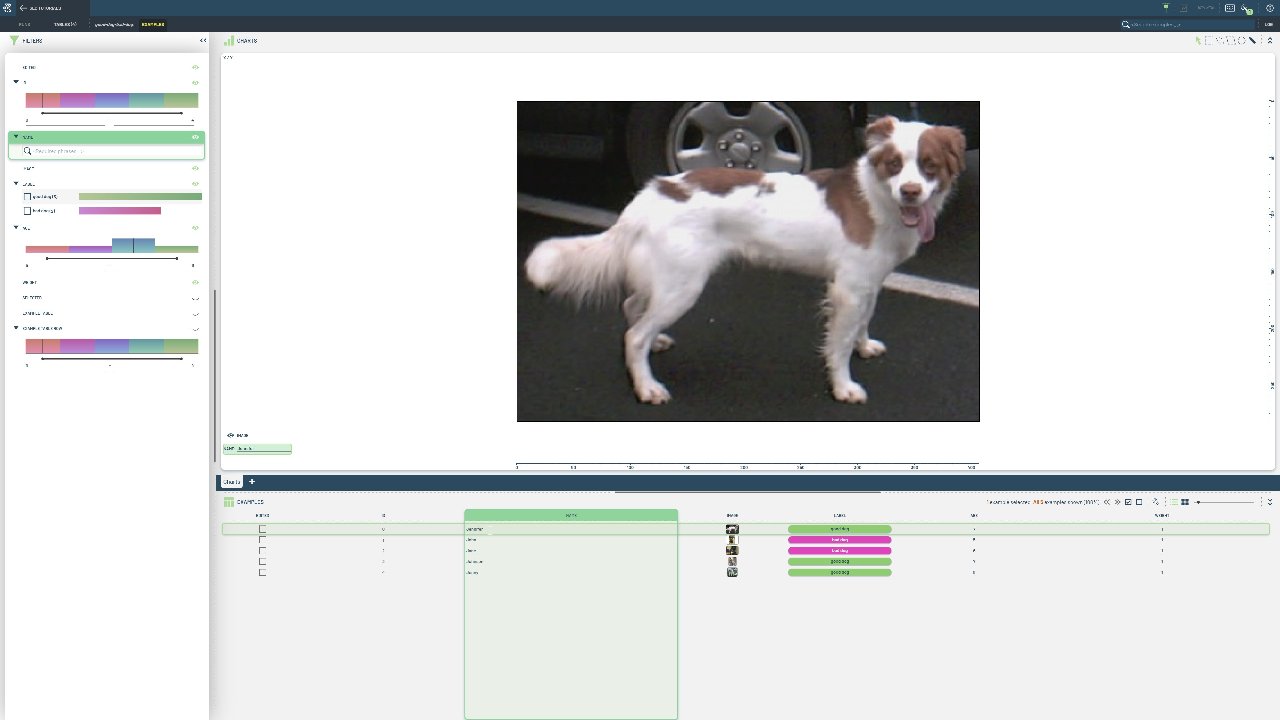
Custom tables are useful when working with specialized data structures that don’t fit standard formats like COCO or YOLO. This approach gives you complete control over column definitions, data types, and validation rules.
This notebook demonstrates building a table from scratch with diverse column types including images, categorical labels, and numerical data. We define column schemas manually and write the table row-by-row using a TableWriter. The table contains dummy data for demonstration purposes with the following columns:
id(int): A non-writable unique identifier for each row.name(string): A name for each row.image(image): An image for each row.label(enum-int): A tag for each row.age(int): An age for each row.weight(float): A sample-weight for each row.birthday(timestamp-string):
Project setup
[ ]:
DATA_PATH = "../../data"
PROJECT_NAME = "3LC Tutorials - Cats & Dogs"
DATASET_NAME = "cats-and-dogs"
TABLE_NAME = "good-dogs-and-bad-dogs"
INSTALL_DEPENDENCIES = True
Install dependencies
[ ]:
if INSTALL_DEPENDENCIES:
    %pip install -q 3lc
Imports
[ ]:
dogs_folder = (Path(DATA_PATH) / "cats-and-dogs" / "dogs").resolve()
assert dogs_folder.exists(), "Ensure test data is present"
Create Table
[ ]:
# Prepare the data (5 images of dogs with random metadata)

images = [dogs_folder / f"150{i}.jpg" for i in range(5)]
names = ["Jennifer", "John", "Jane", "Johnson", "Jenny"]
labels = [0, 1, 1, 0, 0]
ages = [7, 5, 6, 7, 8]
weights = [1, 1, 1, 1, 1]
birthdays = ["2020-01-01", "2020-01-02", "2020-01-03", "2020-01-04", "2020-01-05"]
[ ]:
# Specify the schemas of the columns.
# The "name" and "age" columns are automatically inferred from the data and do not need to be overridden.

schemas = {
    "id": tlc.schemas.Int32Schema(writable=False),  # Ensure the ID is not writable
    "image": tlc.schemas.ImageSchema(sample_type="url"),  # Ensure images will be displayed in the Dashboard.
    "label": tlc.schemas.CategoricalLabelSchema(
        classes=["good dog", "bad dog"]
    ),  # Label is just an integer, but we want to display it as a string
    "weight": tlc.schemas.SampleWeightSchema(),  # The weight of the sample, to be used for weighted training
    "birthday": tlc.schemas.DatetimeStringSchema(),
}
[ ]:
# Loop over the data and use a tlc.TableWriter to write the table

table_writer = tlc.TableWriter(
    table_name=TABLE_NAME,
    dataset_name=DATASET_NAME,
    project_name=PROJECT_NAME,
    description="Good and bad dogs",
    schema=schemas,
)

for i, (image, name, label, age, weight, birthday) in enumerate(zip(images, names, labels, ages, weights, birthdays)):
    table_writer.add_row(
        {
            "id": i,
            "name": name,
            "image": image,
            "label": label,
            "age": age,
            "weight": weight,
            "birthday": birthday,
        }
    )
[ ]:
# Finalize the TableWriter to write the table to disk.
# The URL of the written Table is based on the table name, dataset name, and project name.

table = table_writer.finalize()
[ ]:
[ ]:
table[0]