Create Custom Bounding Box Table
Build a 3LC Table from scratch with custom bounding box annotations and schema definitions for specialized object detection scenarios.
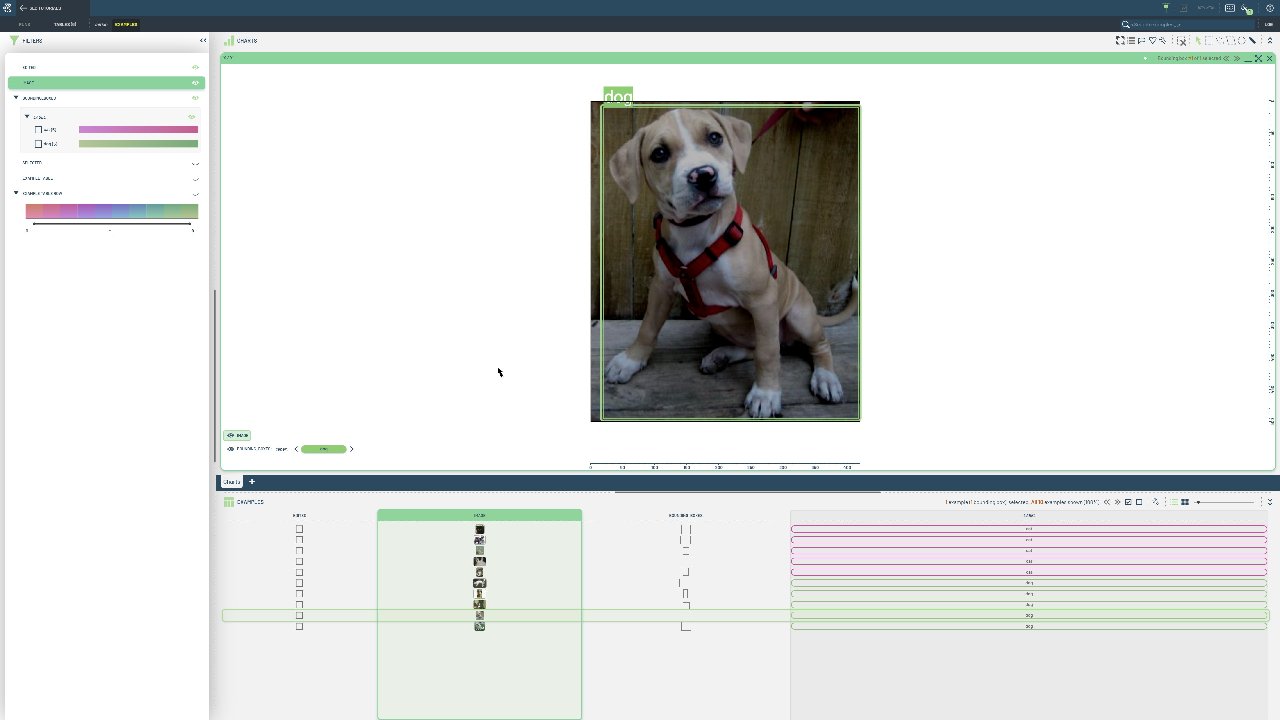
While COCO and YOLO formats cover most use cases, specialized applications may require custom schemas, additional metadata, or non-standard annotation formats. Custom tables give you complete control over data structure and validation.
This notebook provides a step-by-step guide to defining custom table schemas and formatting bounding box data for 3LC. We demonstrate manual schema creation, data validation, and proper formatting of coordinate systems and class labels. Use this approach when working with proprietary annotation formats, specialized coordinate systems, or when you need additional metadata that standard formats don’t support.
Project setup
[ ]:
DATA_PATH = "../../../data"
PROJECT_NAME = "3LC Tutorials - Cats & Dogs"
INSTALL_DEPENDENCIES = True
Install dependencies
[ ]:
if INSTALL_DEPENDENCIES:
    %pip install -q 3lc
Imports
[ ]:
from pathlib import Path

import tlc
from PIL import Image
from tlc.data_types import BoundingBoxes2D
[ ]:
cats_and_dogs_folder = Path(DATA_PATH) / "cats-and-dogs"
assert cats_and_dogs_folder.exists()
Setup the TableWriter
First, we need to import the tlc library and create a tlc.TableWriter object. We will provide a tlc.Schema to the table writer in a later cell.
A bounding box column in 3LC uses BoundingBoxes2D.schema() for the schema and BoundingBoxes2D for the data. Boxes are always stored in absolute XYXY format ([x_min, y_min, x_max, y_max]), so any other coordinate format must be converted at write time.
[ ]:
schemas = {
    "image": tlc.schemas.ImageSchema(sample_type="url"),
    "bounding_boxes": tlc.data_types.BoundingBoxes2D.schema(classes=["dog", "cat"]),
}

table_writer = tlc.TableWriter(
    project_name="3LC Tutorials - Create Tables",
    dataset_name="cats-and-dogs",
    table_name="initial-bbs",
    description="Table with bounding boxes for cats and dogs",
    schema=schemas,
)
Create Table data
Let’s load the data to populate the tlc.Table with. We have a dictionary with a mapping from image to its bounding boxes.
The source labels are in normalized centered-XYWH format (Xc, Yc, W, H, Class). We convert them to absolute XYXY format when building the BoundingBoxes2D objects.
[ ]:
# Each image has a list of bounding boxes
data = {
    "cats/1500.jpg": [[0.527, 0.529, 0.941, 0.938, 1]],
    "cats/1501.jpg": [[0.470, 0.543, 0.866, 0.829, 1]],
    "cats/1502.jpg": [[0.520, 0.537, 0.705, 0.708, 1]],
    "cats/1503.jpg": [[0.591, 0.501, 0.814, 0.992, 1]],
    "cats/1504.jpg": [[0.487, 0.437, 0.819, 0.790, 1]],
    "dogs/1500.jpg": [[0.496, 0.495, 0.948, 0.897, 0]],
    "dogs/1501.jpg": [[0.484, 0.493, 0.308, 0.923, 0]],
    "dogs/1502.jpg": [[0.531, 0.652, 0.487, 0.688, 0]],
    "dogs/1503.jpg": [[0.520, 0.504, 0.945, 0.968, 0]],
    "dogs/1504.jpg": [[0.530, 0.497, 0.929, 0.944, 0]],
}
When populating the tlc.Table, we convert the normalized centered-XYWH coordinates to absolute XYXY and create BoundingBoxes2D objects.
[ ]:
table_rows = {"image": [], "bounding_boxes": []}

for relative_image_path, bbs in data.items():
    image_path = cats_and_dogs_folder / relative_image_path
    image = Image.open(image_path)
    image_width, image_height = image.size

    # Convert normalized centered-XYWH to absolute XYXY
    bb_instance = BoundingBoxes2D.create_empty(image_width=image_width, image_height=image_height)
    for bb in bbs:
        cx, cy, w, h, label = bb
        x_min = (cx - w / 2) * image_width
        y_min = (cy - h / 2) * image_height
        x_max = (cx + w / 2) * image_width
        y_max = (cy + h / 2) * image_height
        bb_instance.add_instance(bounding_box=[x_min, y_min, x_max, y_max], label=int(label))

    table_rows["image"].append(image_path)
    table_rows["bounding_boxes"].append(bb_instance)
[ ]:
table_writer.add_batch(table_rows)
table = table_writer.finalize()
Inspect the data
[ ]:
# Inspect the first row
table[0]