Prerequisites
This notebook reuses tables created by other example notebooks. Run them first:
Add image embeddings to a Table
In this example we will extend an existing table with embeddings computed from a pre-trained model.
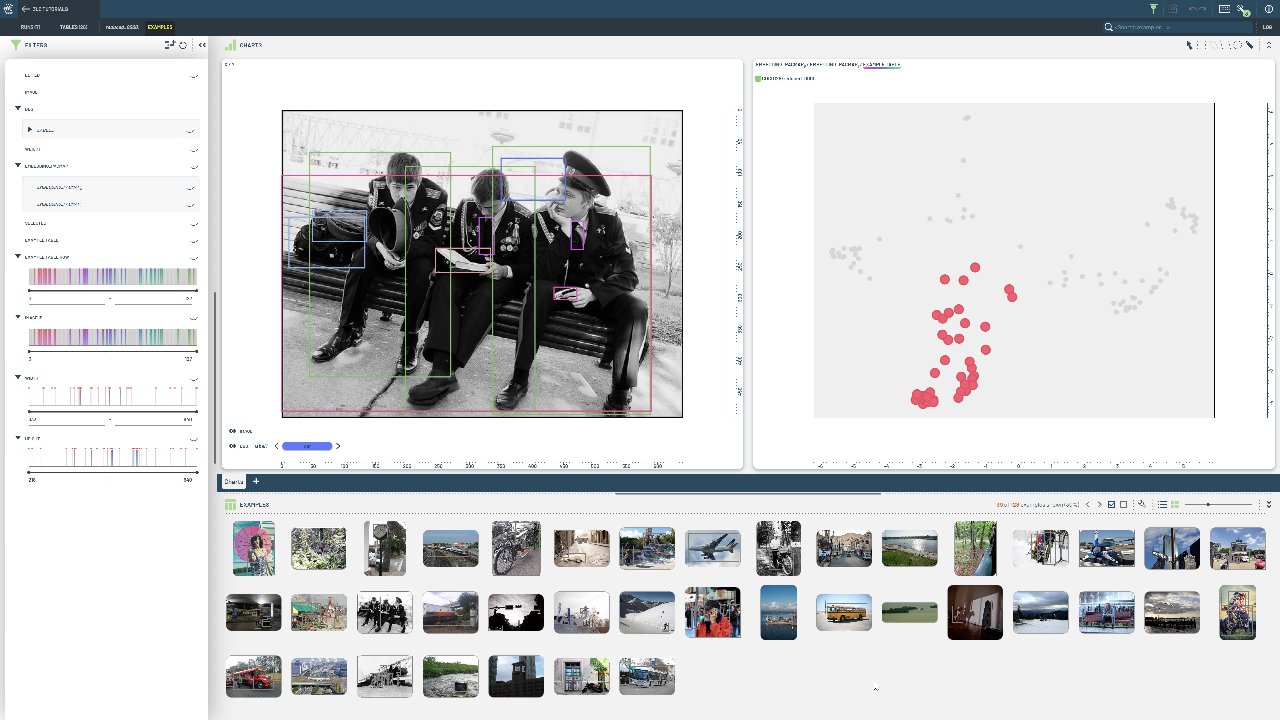
Write an initial table containing a single column of image URLs.
Write a new table containing the input URLs and the embeddings computed from a pre-trained model.
Apply dimensionality reduction to the extended table to get a final table containing the URLs, the embeddings, and the reduced embeddings.
Install dependencies
[ ]:
INSTALL_DEPENDENCIES = True
[ ]:
if INSTALL_DEPENDENCIES:
    %pip install -q 3lc[pacmap]
    %pip install -q git+https://github.com/3lc-ai/3lc-examples.git
    %pip install -q transformers
Imports
[ ]:
import tlc

from tlc_tools.embeddings import add_embeddings_to_table
Project setup
We load the previously written COCO128 table from create-table-from-coco.ipynb.
[ ]:
table = tlc.Table.from_names(table_name="initial", dataset_name="COCO128", project_name="3LC Tutorials - COCO128")
Extend the table with embeddings from a pre-trained model
We will use the ViT model pre-trained on ImageNet to compute embeddings for the images in the table. A benefit of using this model is that meaningful embeddings can be extracted easily using the last_hidden_state attribute of the model output.
[ ]:
# Add embeddings to the table:
extended_table = add_embeddings_to_table(table)
Reduce the embeddings to 2 dimensions
Finally we reduce the embedding-column to 2 dimensions using UMAP. The result is a table containing the URLs, the embeddings, and the reduced embeddings.
[ ]:
reduced_table = tlc.reduction.reduce_embeddings(
    extended_table,
    method="pacmap",
    n_components=2,
    retain_source_embedding_column=False,
)

print(
    reduced_table.table_rows[0].keys()
)  # The row-view of the reduced table contains both the embeddings and the reduced embeddings
[ ]:
# The PaCMAP model is stored in the reduced_table.model_url attribute and can be reused to transform new data
reduced_table.model_url
[ ]: