Prerequisites
This notebook reuses tables created by other example notebooks. Run them first:
Train a instance classifier on a 3LC Table
In this tutorial, we will fine-tune a classifier using instances (segmentations or bounding boxes) from a 3LC Table.
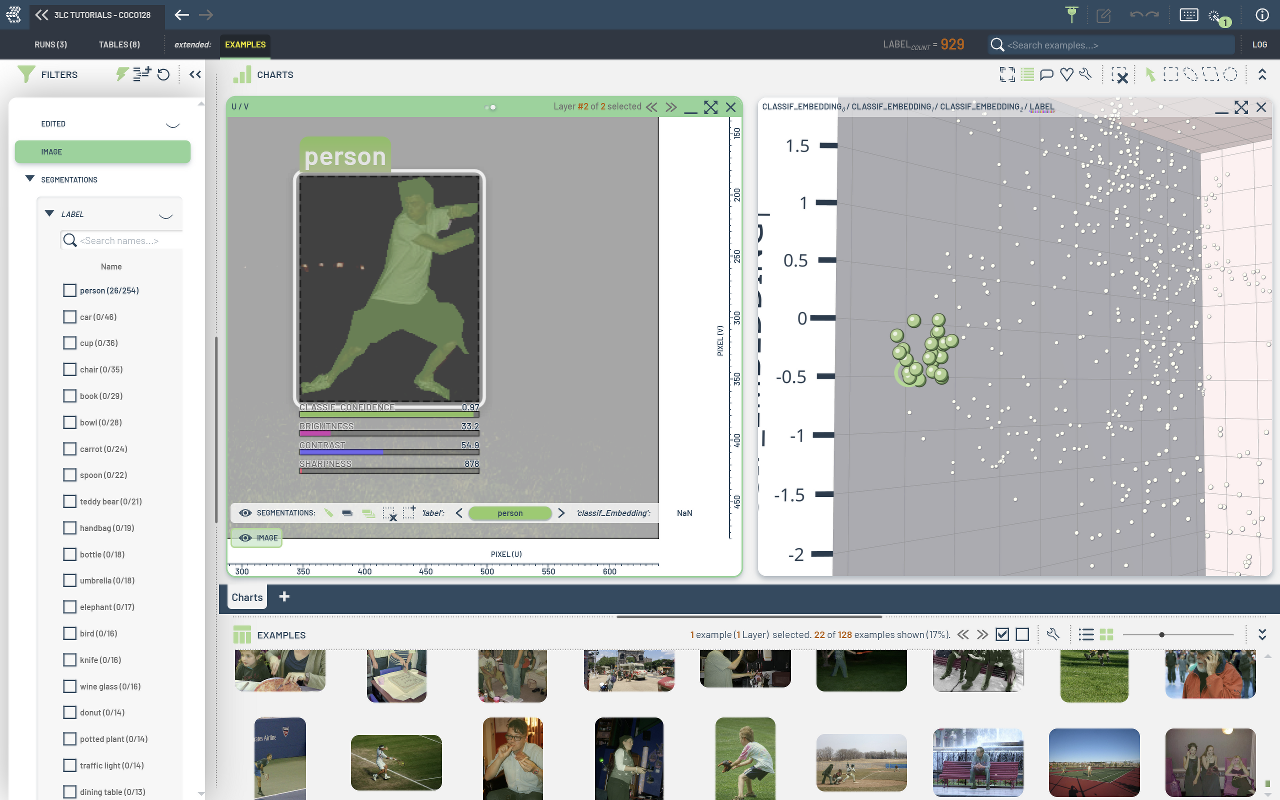
We will load the COCO128 table from an earlier notebook and use it to create a torch.utils.Dataset of bounding box crops. These cropped images will be used to fine-tune a classifier. In a later tutorial, we will use this trained model to generate embeddings and predicted labels.
Project setup
[ ]:
EPOCHS = 10
TMP_PATH = "../../../transient_data"
EFFICIENTNET_MODEL_NAME = "efficientnet_b0"
NUM_WORKERS = 0
INSTALL_DEPENDENCIES = True
Install dependencies
[ ]:
if INSTALL_DEPENDENCIES:
    %pip install -q 3lc[pacmap]
    %pip install -q git+https://github.com/3lc-ai/3lc-examples.git
    %pip install -q timm
Imports
[ ]:
import tlc

from tlc_tools.augment_bbs.finetune_on_crops import train_model
from tlc_tools.common import infer_torch_device
from tlc_tools.split import split_table
[ ]:
MODEL_CHECKPOINT = TMP_PATH + "/instance_classifier.pth"
Set device
[ ]:
DEVICE = infer_torch_device()
print(f"Using device: {DEVICE}")
Load input Table
We will reuse the table created in the notebook create-table-from-coco-segmentation.ipynb.
[ ]:
input_table = tlc.Table.from_names(
    table_name="initial-segmentation",
    dataset_name="COCO128",
    project_name="3LC Tutorials - COCO128",
)
Split the Table
[ ]:
# Create splits for training and validation
splits = split_table(input_table, {"train": 0.8, "val": 0.2}, if_exists="reuse")

train_table = splits["train"]
val_table = splits["val"]

print(f"Using table {train_table} for training")
print(f"Using table {val_table} for validation")
Train model
[ ]:
model, checkpoint_path = train_model(
    train_table_url=train_table.url,
    val_table_url=val_table.url,
    model_name=EFFICIENTNET_MODEL_NAME,
    model_checkpoint=MODEL_CHECKPOINT,
    epochs=EPOCHS,
    num_workers=NUM_WORKERS,
)