Prerequisites
This notebook reuses tables created by other example notebooks. Run them first:
Apply dimensionality reduction to multiple Tables
This example shows how to use the “producer-consumer” pattern for re-using dimensionality reduction models across different tables.
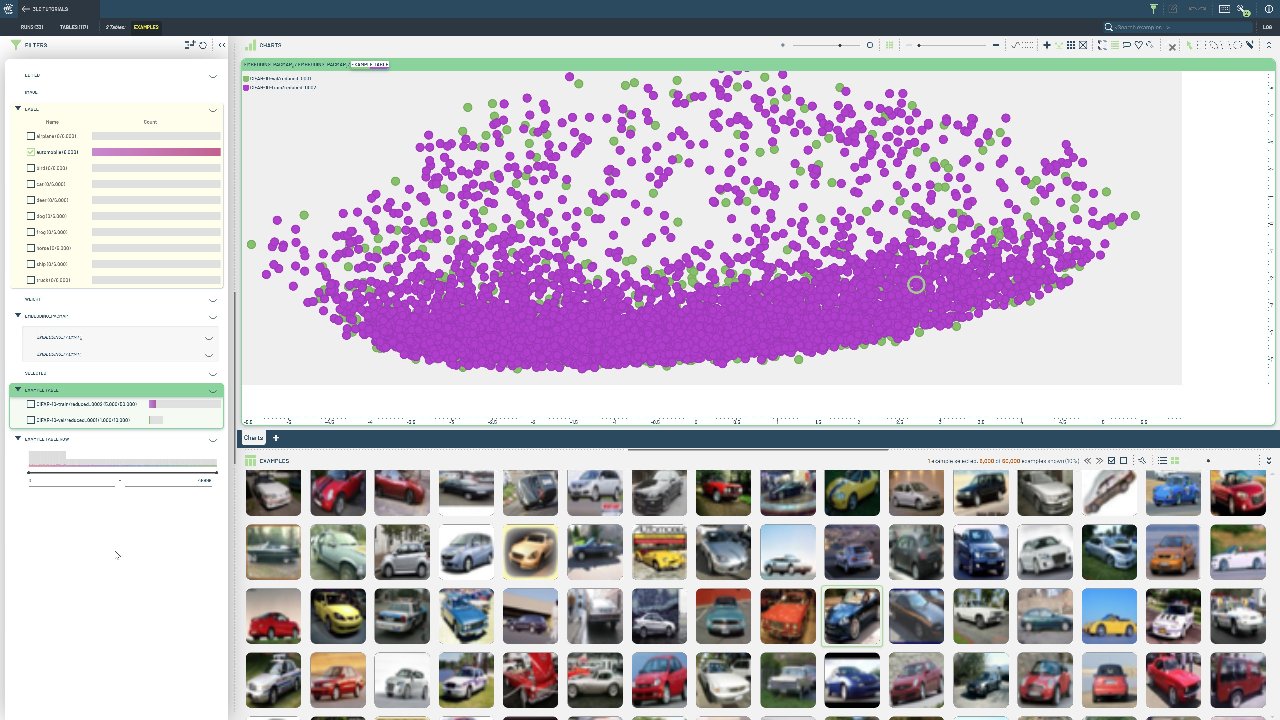
Specifically, high-dimensional embeddings from the same model are added as new columns to the train and val split of the CIFAR-10 dataset. With a single call, a UMAP model is trained on the train split embeddings, and then used to transform both the train and val split embeddings. This ensures that the reduced, 3-dimensional embeddings are mapped to the same space, which is crucial for comparing embeddings across tables.
The tlc package contains several helper functions for working with dimensionality reduction, and currently support both the UMAP and PaCMAP algorithms. A “producer” table is a reduction table that fits a dimensionality reduction model to the data, and saves the model for later use. A “consumer” table is a reduction table that uses the model from a producer table to only transform the data.
Project setup
[ ]:
PROJECT_NAME = "3LC Tutorials - CIFAR-10"
TIMM_MODEL_NAME = "resnet18"
METHOD = "pacmap"
BATCH_SIZE = 32
NUM_COMPONENTS = 2
INSTALL_DEPENDENCIES = True
Install dependencies
[ ]:
if INSTALL_DEPENDENCIES:
    %pip install -q 3lc[huggingface,pacmap]
    %pip install -q timm
    %pip install -q git+https://github.com/3lc-ai/3lc-examples
Imports
Load input Tables
We will re-use the CIFAR-10 tables created in an earlier notebook.
[ ]:
train_table = tlc.Table.from_names(table_name="initial", dataset_name="CIFAR-10-train", project_name=PROJECT_NAME)
val_table = tlc.Table.from_names(table_name="initial", dataset_name="CIFAR-10-val", project_name=PROJECT_NAME)
Load model
[ ]:
model = timm.create_model(TIMM_MODEL_NAME, pretrained=True, num_classes=0)
model = model.to(infer_torch_device())
[ ]:
[ ]:
train_table_with_embeddings = add_embeddings_to_table(
    table=train_table, model=model, batch_size=BATCH_SIZE, preprocess_fn=transformed_image
)
[ ]:
val_table_with_embeddings = add_embeddings_to_table(
    table=val_table, model=model, batch_size=BATCH_SIZE, preprocess_fn=transformed_image
)
Perform dimensionality reduction
[ ]:
url_mapping = tlc.reduction.reduce_embeddings_with_producer_consumer(
    producer=val_table_with_embeddings,
    consumers=[train_table_with_embeddings],
    method=METHOD,
    n_components=NUM_COMPONENTS,
)
[ ]:
reduced_train_table_url = url_mapping[train_table_with_embeddings.url]
reduced_val_table_url = url_mapping[val_table_with_embeddings.url]