Create a Table from video frames
Create a 3LC Table by extracting individual frames from video files in the UCF11 action recognition dataset.
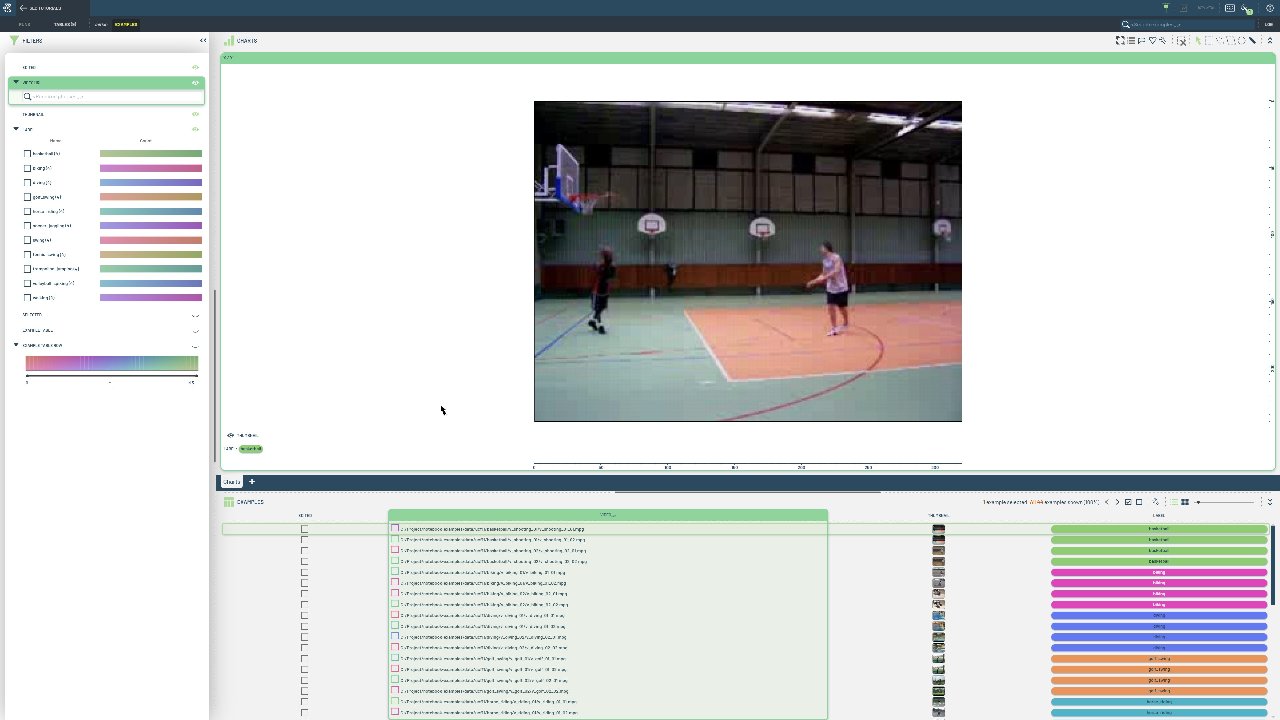
Video analysis often requires working with individual frames rather than entire video files. This approach allows for frame-level analysis, data augmentation, and easier integration with image-based machine learning pipelines.
This notebook processes video files from the UCF11 dataset, extracting all frames as PIL Images and creating a table where each row represents a single frame. Each frame is linked to its source video and frame number, enabling both individual frame analysis and sequence reconstruction. The dataset follows a structured format with categorized video clips:
UCF11/
├─ basketball/
│  ├─ v_shooting_01
|  │  ├─ v_shooting_01_01.mpg
|  │  ├─ v_shooting_01_02.mpg
|  │  ├─ ...
│  ├─ v_shooting_02
|  │  ├─ ...
├─ biking/
│  ├─ ...
├─ ...
Project setup
[ ]:
DATA_PATH = "../../data"
NUM_FRAMES = 10
PROJECT_NAME = "3LC Tutorials - Create Tables"
TABLE_NAME = "UCF YouTube Actions - Frames"
Imports
Create Table
The class names are read from the directory names.
[ ]:
DATASET_LOCATION = Path(DATA_PATH) / "ucf11"

assert DATASET_LOCATION.exists(), f"Dataset not found at {DATASET_LOCATION}"
[ ]:
class_directories = [path for path in DATASET_LOCATION.glob("*") if path.is_dir()]
[ ]:
classes = [c.name for c in class_directories]
classes
We now define a schema for the Table. Each row will contain a sequence ID (video path), frame ID (frame number), the actual frame as a PIL Image, and a categorical label for the video class.
[ ]:
column_schemas = {
    "sequence_id": tlc.schemas.StringSchema(),
    "frame_id": tlc.schemas.Int32Schema(),
    "frame": tlc.schemas.ImageSchema(),
    "label": tlc.schemas.CategoricalLabelSchema(classes=classes),
}
We then iterate over the videos, extract all frames as PIL Images, and write the Table with a TableWriter.
[ ]:
def extract_frames_from_video(video_path, max_frames=None):
    """Extract all frames from a video and return them as PIL Images."""
    cap = cv2.VideoCapture(str(video_path))
    frames = []

    while True:
        ret, frame = cap.read()
        if not ret:
            break

        # Convert BGR to RGB (OpenCV uses BGR, PIL expects RGB)
        frame_rgb = cv2.cvtColor(frame, cv2.COLOR_BGR2RGB)

        # Convert to PIL Image
        pil_image = Image.fromarray(frame_rgb)
        frames.append(pil_image)

        if max_frames is not None and len(frames) >= max_frames:
            break

    cap.release()
    return frames


table_writer = tlc.TableWriter(
    project_name=PROJECT_NAME,
    dataset_name="UCF YouTube Actions",
    table_name=TABLE_NAME,
    schema=column_schemas,
    description="Table with frames from UCF YouTube Actions",
)

for class_idx, class_directory in enumerate(class_directories):
    for video_path in class_directory.rglob("*mpg"):
        video_path = video_path.absolute()

        # Extract all frames from the video
        frames = extract_frames_from_video(video_path, max_frames=NUM_FRAMES)

        # Get the sequence_id (relative path to video)
        sequence_id = tlc.Url(video_path).to_relative().to_str()

        # Write a row for each frame
        for frame_id, frame in enumerate(frames):
            row = {
                "sequence_id": sequence_id,
                "frame_id": frame_id,
                "frame": frame,
                "label": class_idx,
            }
            table_writer.add_row(row)

table = table_writer.finalize()
[ ]:
table[0]
[ ]:
[ ]: