Create Table from COCO Instance Segmentation
Create a 3LC Table from COCO-format dataset containing images with instance segmentation annotations for object detection and segmentation tasks.
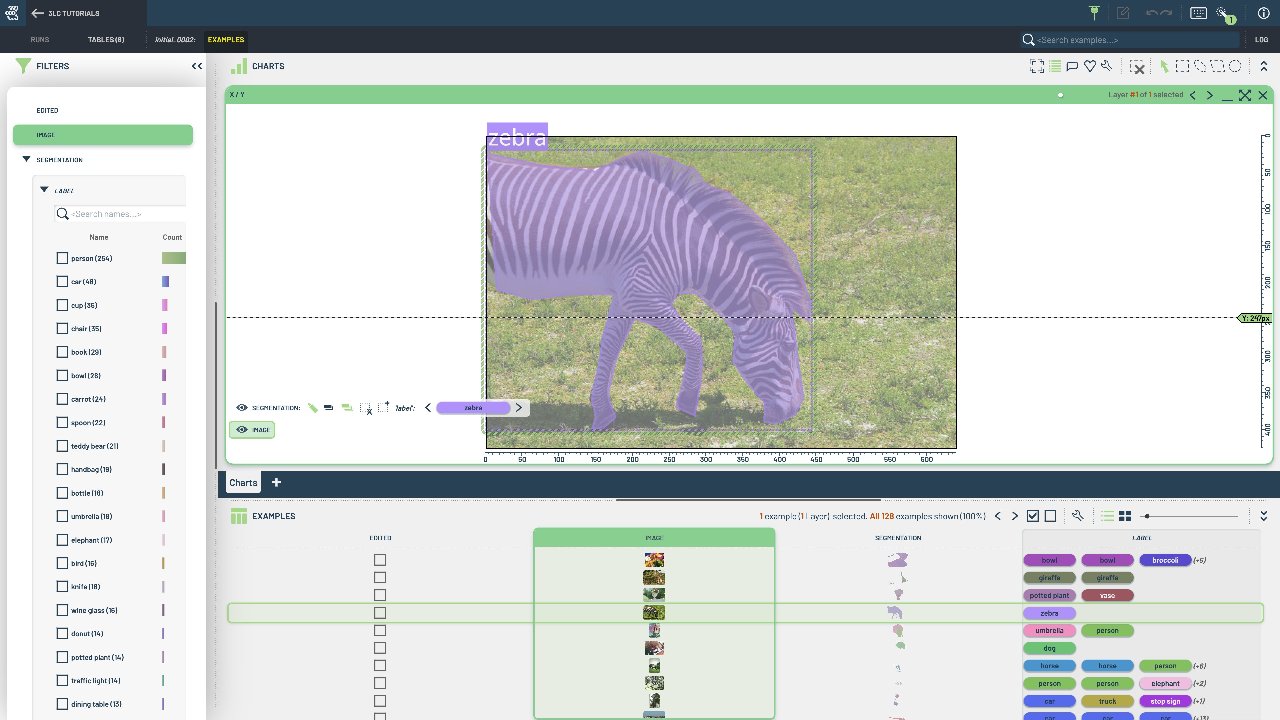
COCO is one of the most popular formats for instance segmentation datasets, providing precise pixel-level masks for each object instance. This format is essential for tasks requiring both object detection and precise boundary delineation.
This notebook demonstrates loading a COCO-format dataset and converting it to a 3LC Table. The resulting table contains image and segmentation columns with properly structured polygon or mask annotations from the COCO JSON format.
Project setup
[ ]:
PROJECT_NAME = "3LC Tutorials - COCO128"
DATASET_NAME = "COCO128"
TABLE_NAME = "initial-segmentation"
DATA_PATH = "../../../data"
INSTALL_DEPENDENCIES = True
Install dependencies
[ ]:
if INSTALL_DEPENDENCIES:
    %pip install -q 3lc
Imports
Create Segmentation Table
[ ]:
[ ]:
seg_table = tlc.Table.from_coco(
    annotations_file=annotations_file,
    image_folder=image_folder,
    table_name=TABLE_NAME,
    dataset_name=DATASET_NAME,
    project_name=PROJECT_NAME,
    task="segment",
)