Prerequisites
This notebook reuses tables created by other example notebooks. Run them first:
Add image metrics to a Table
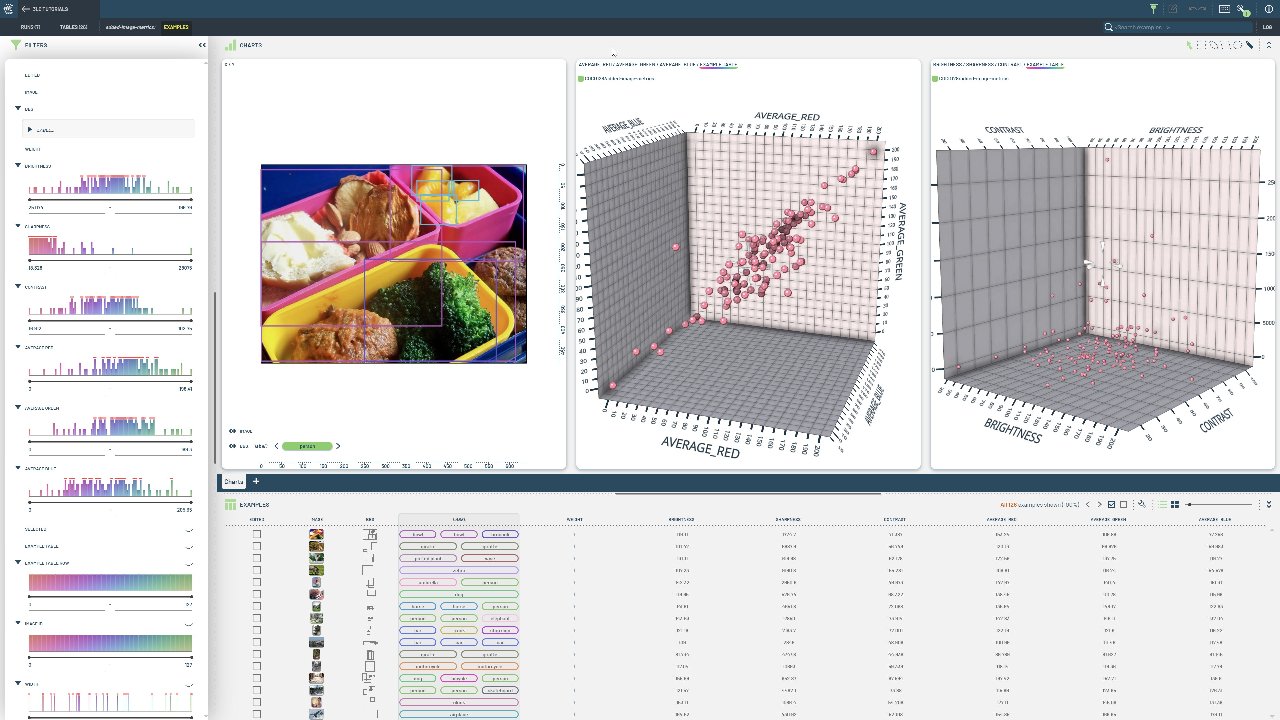
In this example we will extend a Table containing images with new columns containing common image metrics (sharpness, contrast, etc.).
[ ]:
INSTALL_DEPENDENCIES = True
[ ]:
if INSTALL_DEPENDENCIES:
    %pip install -q 3lc
    %pip install -q git+https://github.com/3lc-ai/3lc-examples.git
Imports
[ ]:
import tlc

from tlc_tools.add_columns_to_table import add_image_metrics_to_table
Project setup
We load the previously written COCO128 table from create-table-from-coco-detection.ipynb.
[ ]:
table = tlc.Table.from_names(table_name="initial", dataset_name="COCO128", project_name="3LC Tutorials - COCO128")
Extend the Table with image metrics
[ ]:
extended_table = add_image_metrics_to_table(
    table,
    image_metrics=["contrast", "sharpness", "brightness", "average_blue", "average_green", "average_red"],
)

print(extended_table[0].keys())  # Notice only the "image" column is present in the "sample-view" of the table
print(extended_table.table_rows[0].keys())  # Notice all the columns are present in the "row-view" of the table
[ ]:
extended_table