Create Semantic Segmentation Table
Create a 3LC Table for semantic segmentation tasks using paired images and grayscale mask files from the ADE20k dataset.
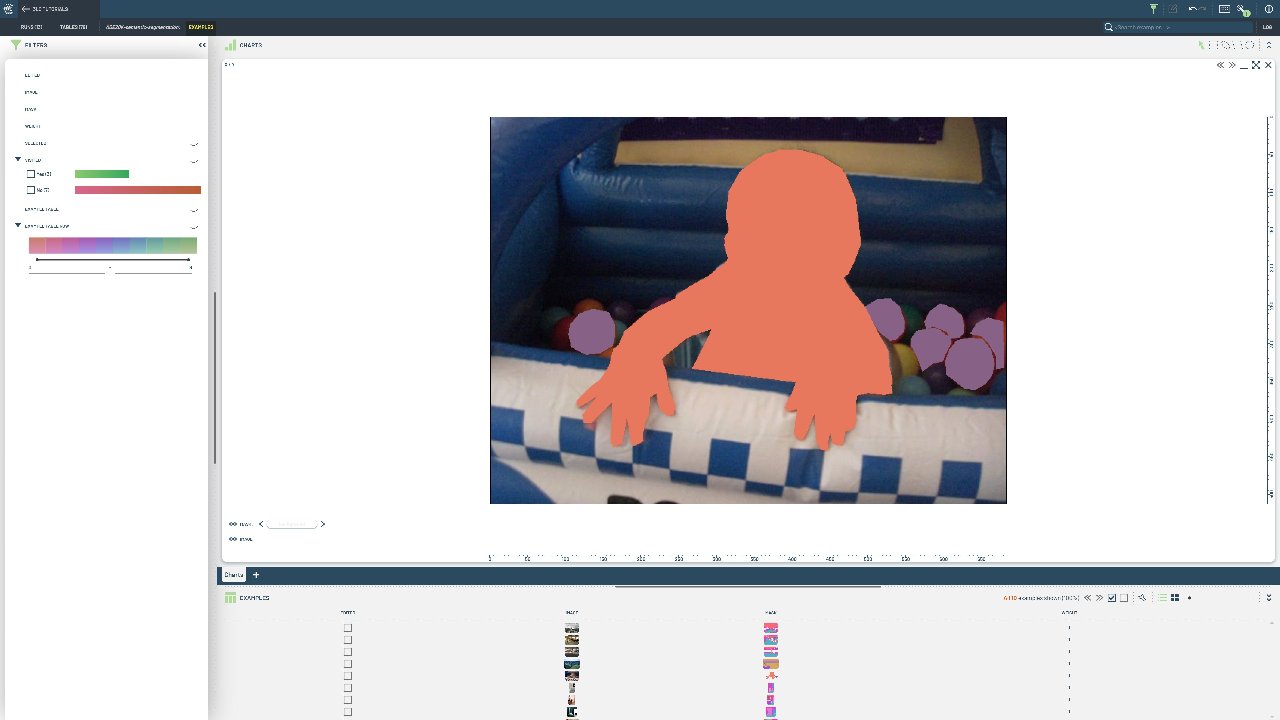
Semantic segmentation requires pixel-level classification where each pixel belongs to a specific class. This format is essential for tasks like scene parsing, medical imaging, or autonomous driving where precise spatial understanding is needed.
This notebook demonstrates creating a table from paired image and mask files. We download the ADE20k dataset from HuggingFace Hub and structure it into a 3LC table with properly formatted segmentation annotations using grayscale PNG masks.
Project Setup
[ ]:
PROJECT_NAME = "3LC Tutorials - Semantic Segmentation ADE20k"
DATASET_NAME = "ADE20k_toy_dataset"
TABLE_NAME = "ADE20K-semantic-segmentation"
DOWNLOAD_PATH = "../../transient_data"
INSTALL_DEPENDENCIES = True
Install dependencies
[ ]:
if INSTALL_DEPENDENCIES:
    %pip install -q 3lc
    %pip install -q git+https://github.com/3lc-ai/3lc-examples.git
    %pip install -q huggingface-hub
Imports
Download the dataset
Fetch the label map from the Hugging Face Hub
[ ]:
[ ]:
value_map = {i + 1: tlc.schemas.MapElement(category) for i, category in enumerate(categories)}
value_map[0] = tlc.schemas.MapElement("background", display_color="#00000000")  # Set transparent background
Load the images and segmentation maps
[ ]:
[ ]:
# Call .to_relative() to ensure aliases are applied
image_paths = [tlc.Url(p).to_relative().to_str() for p in image_paths]
mask_paths = [tlc.Url(p).to_relative().to_str() for p in segmentation_map_paths]
print(image_paths[0])
Write the instance segmentation masks to a table
[ ]:
table = tlc.Table.from_dict(
    data={
        "image": image_paths,
        "mask": mask_paths,
    },
    schema={
        "image": tlc.schemas.ImageSchema(),
        "mask": tlc.schemas.SemanticSegmentationSchema(classes=value_map),
    },
    table_name=TABLE_NAME,
    dataset_name=DATASET_NAME,
    project_name=PROJECT_NAME,
    if_exists="overwrite",
)
[ ]:
image
[ ]:
mask