Hyperparameters
Hyperparameters are configuration variables that are set before an experiment begins, such as the batch size and image sizes used in training.
Record hyperparameters
To record hyperparameters to a Run, you can pass them to tlc.init() or by calling
the set_parameters() method on an existing
Run.
import tlc

parameters = {
    "epochs": 5,
    "batch_size": 32,
    "initial_lr": 1e-2,
    "architecture": "resnet18",
}

# Create a Run
run = tlc.init(
    project_name="My Project",
    run_name="My Run",
    description="My Run with Hyperparameters",
    parameters=parameters,
)

# or
run.set_parameters(parameters)
Many integrations handle recording hyperparameters automatically, and in these cases it is usually not necessary to record them manually.
View hyperparameters
To view the hyperparameters of a Run in the Dashboard, click the Run’s name on upper left corner and
then click Hyperparameters... (or press SHIFT + P).
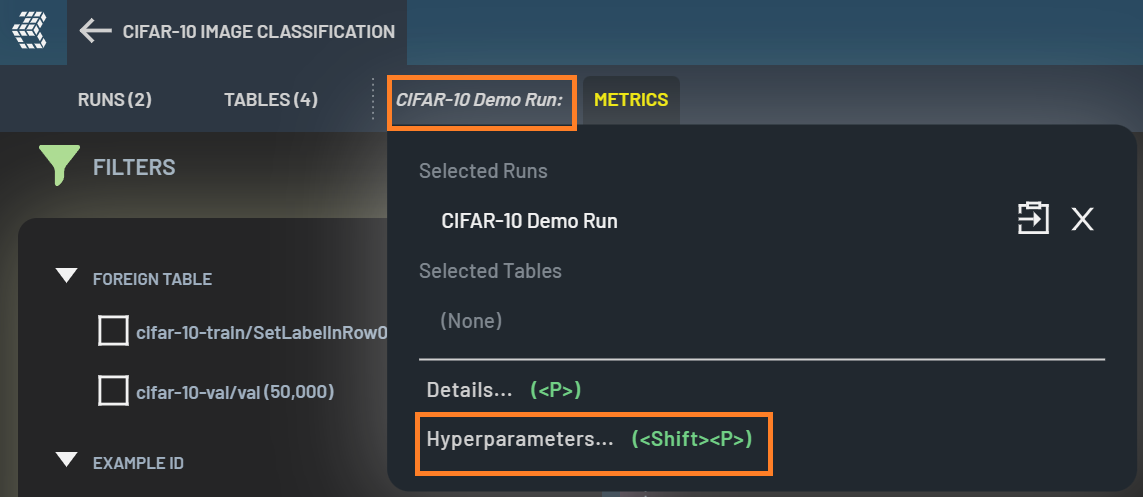
All recorded hyperparameters are listed in the popup Hyperparameters window.
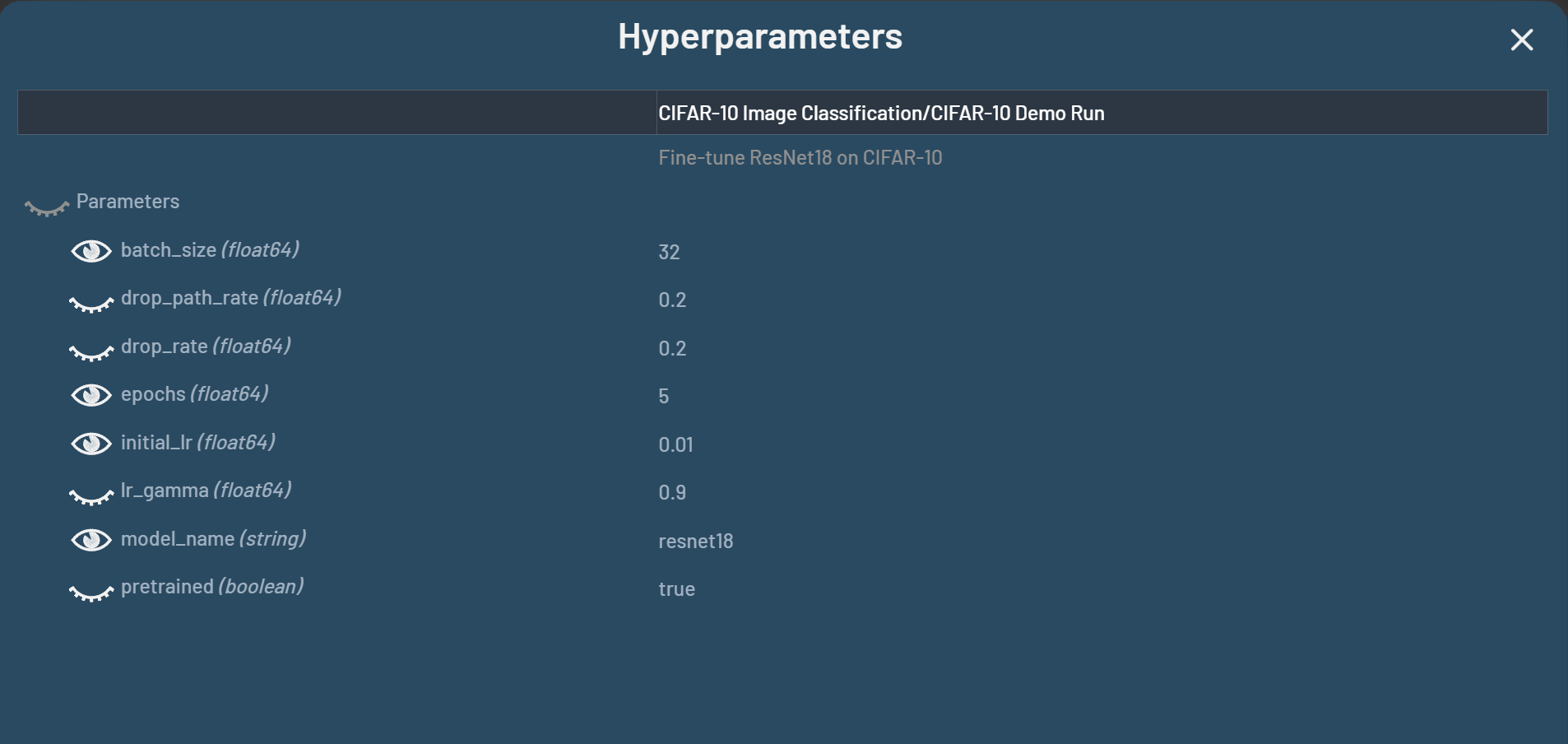
When the eye icons are turned on in the Hyperparameters window, those hyperparameters will show up in the RUNS panel
in the Runs page. You get a quick view of how the selected hyperparameters are set up for different Runs as shown below.
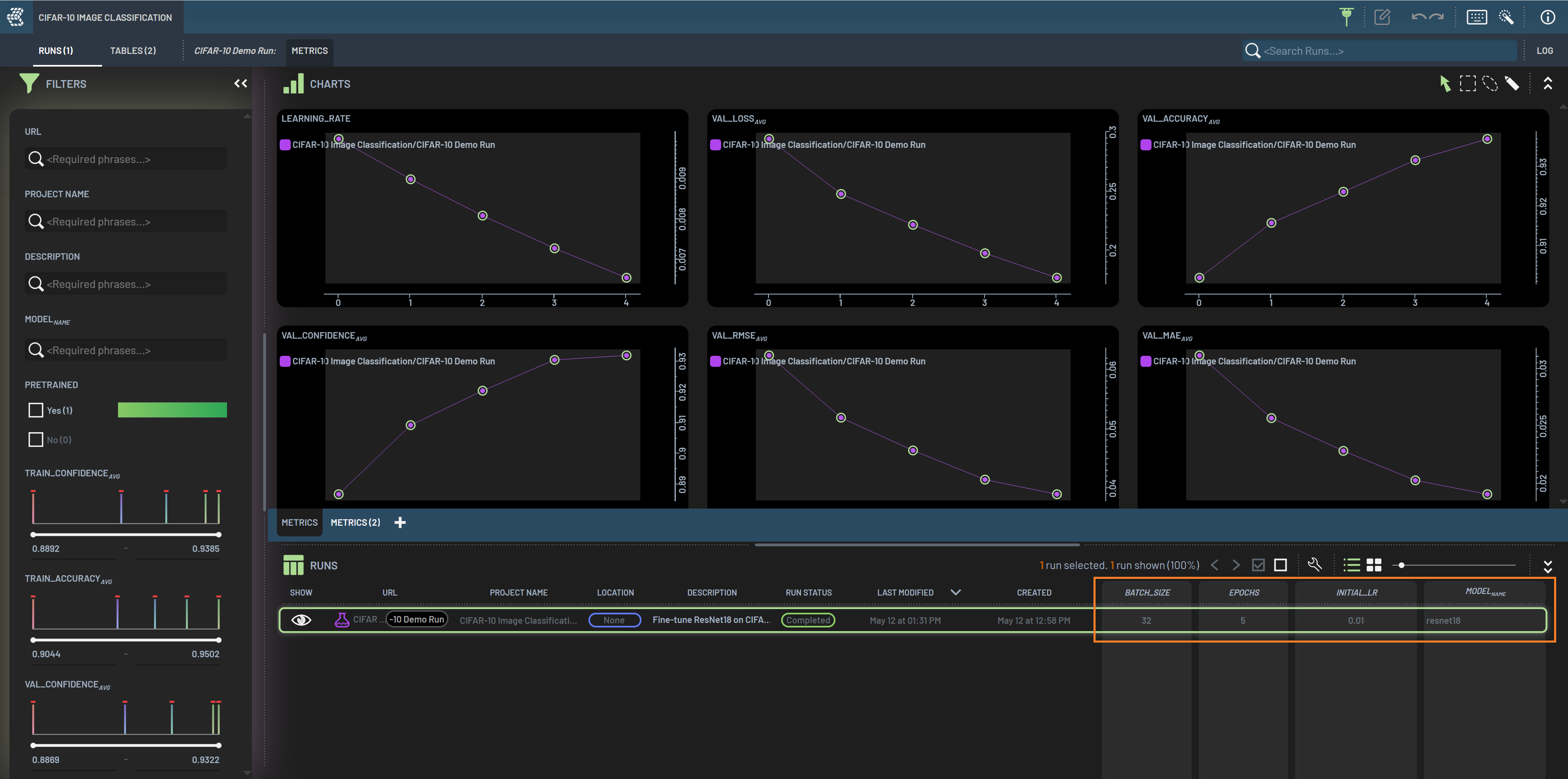
Then, you can create scatter plot charts for any of the hyperparameters columns. Please refer to this page for how to create a chart for selected columns.