3LC Dashboard Version 2.7
2.7.8
Features
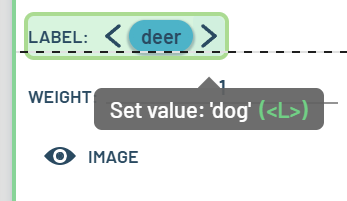
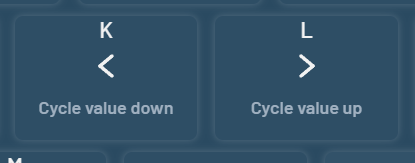
[16809] Keyboard shortcuts K and L now cycle between possible values for the selected column (singular) within the selected table row(s) (possibly plural)
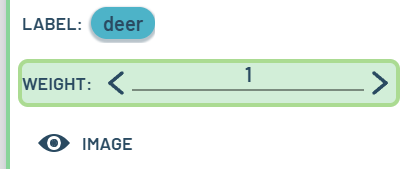
The selected value(s) are shown with clickable up/down arrows in the Table panel to indicate which values would currently be changed
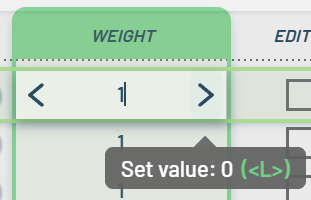
The possible values depend on the data type:
Enums use the values from the schema (e.g. ‘cat’, ‘dog’, …)
Bool values toggle True/False
Numeric values toggle 0/1 (for e.g. “weight” column)
This also applies to Layer widgets within charts
The keyboard shortcuts are documented in the cheat sheet
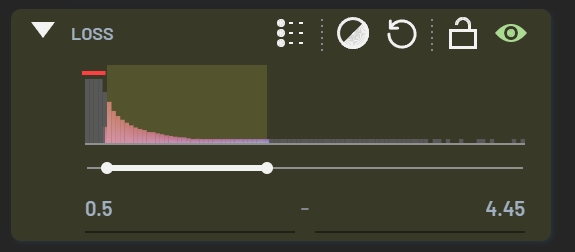
[16608] Made it possible to directly paint a filter range by left-clicking and dragging within the histogram area
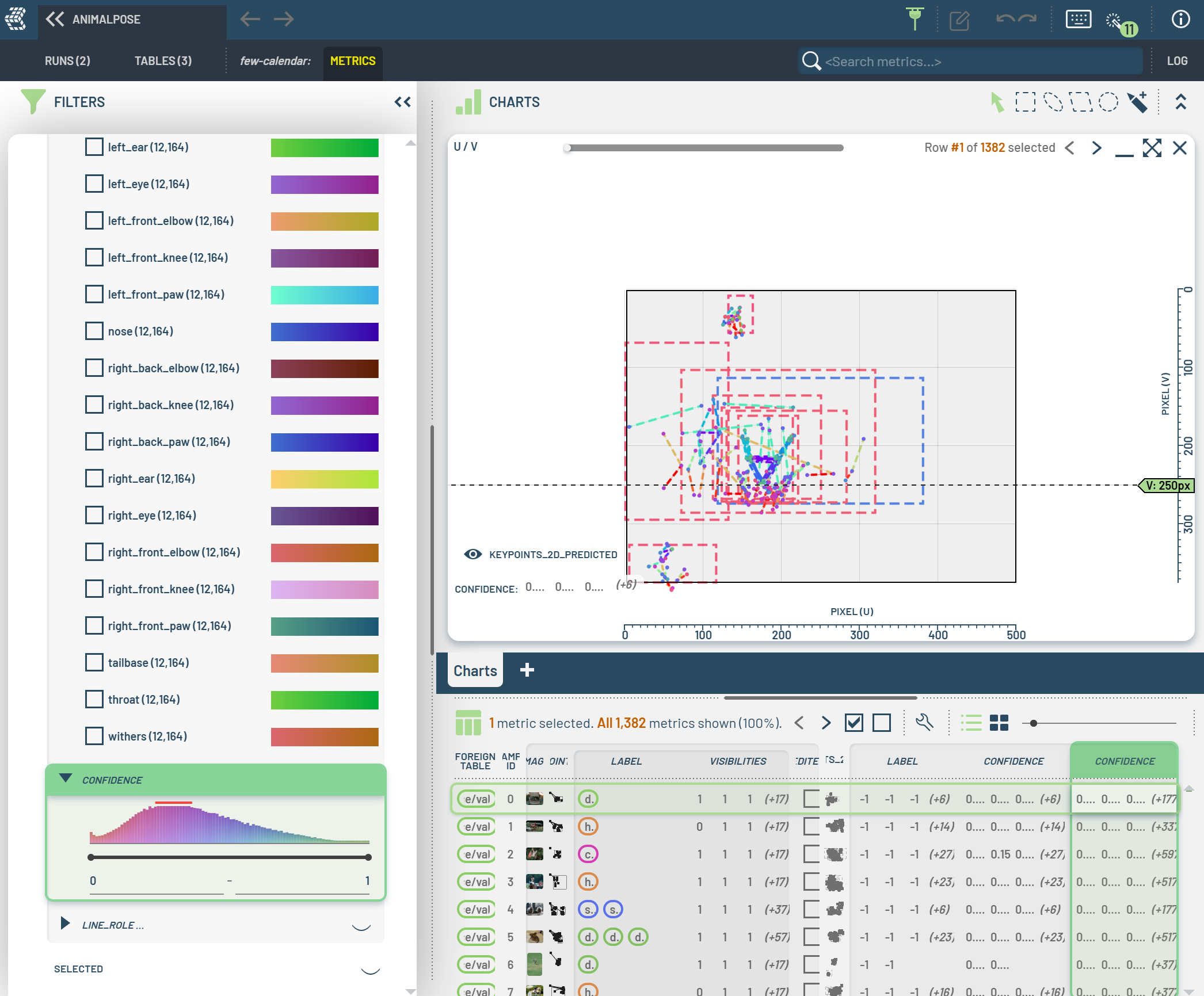
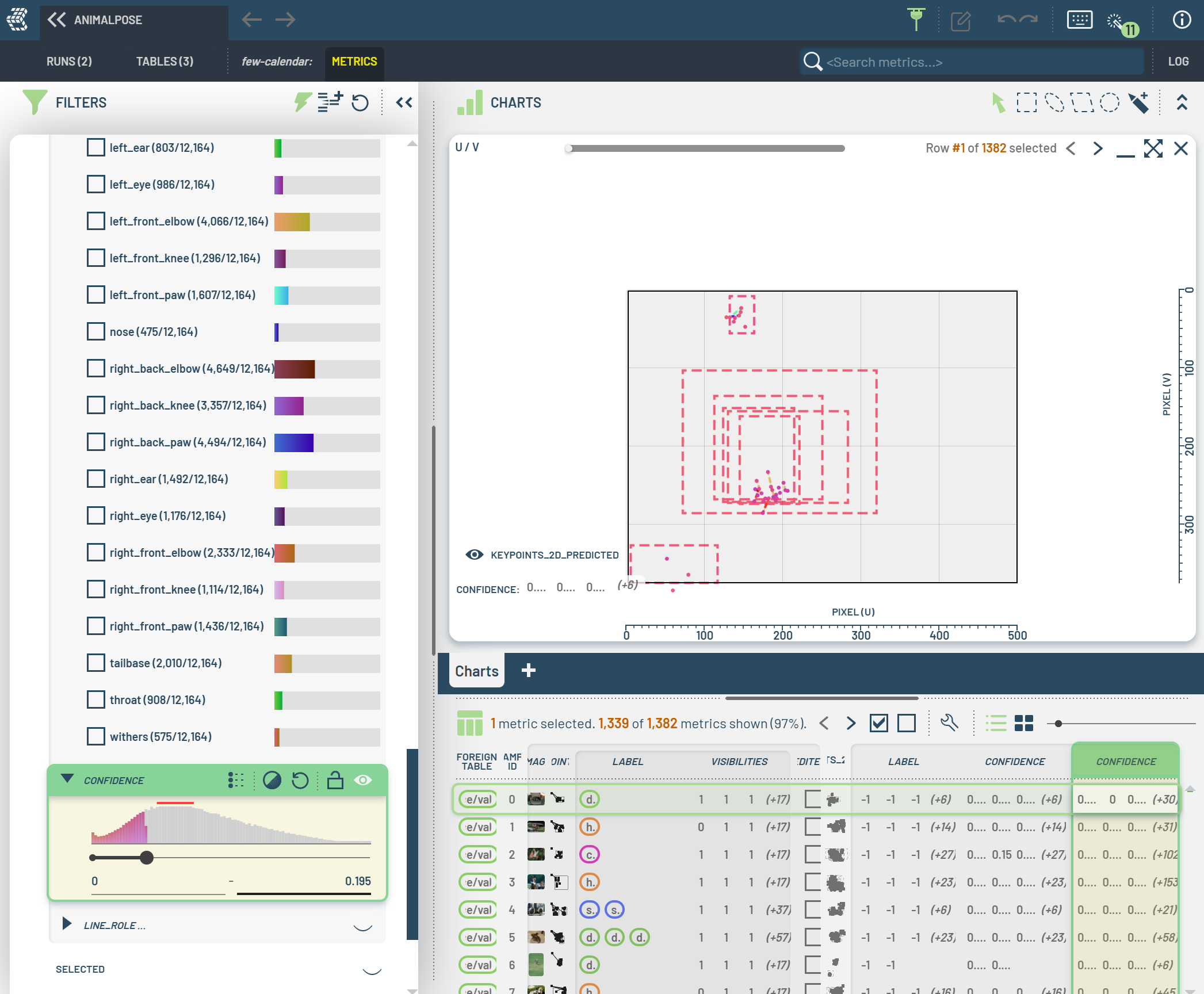
[16853] In charts, when a bounding-box Bb has points but they are all filtered out, treat the bounding box as filtered out as well
Initially, all instances (i.e. bounding boxes) and points are shown:
Filtering away some points also hides the owner bounding boxes:
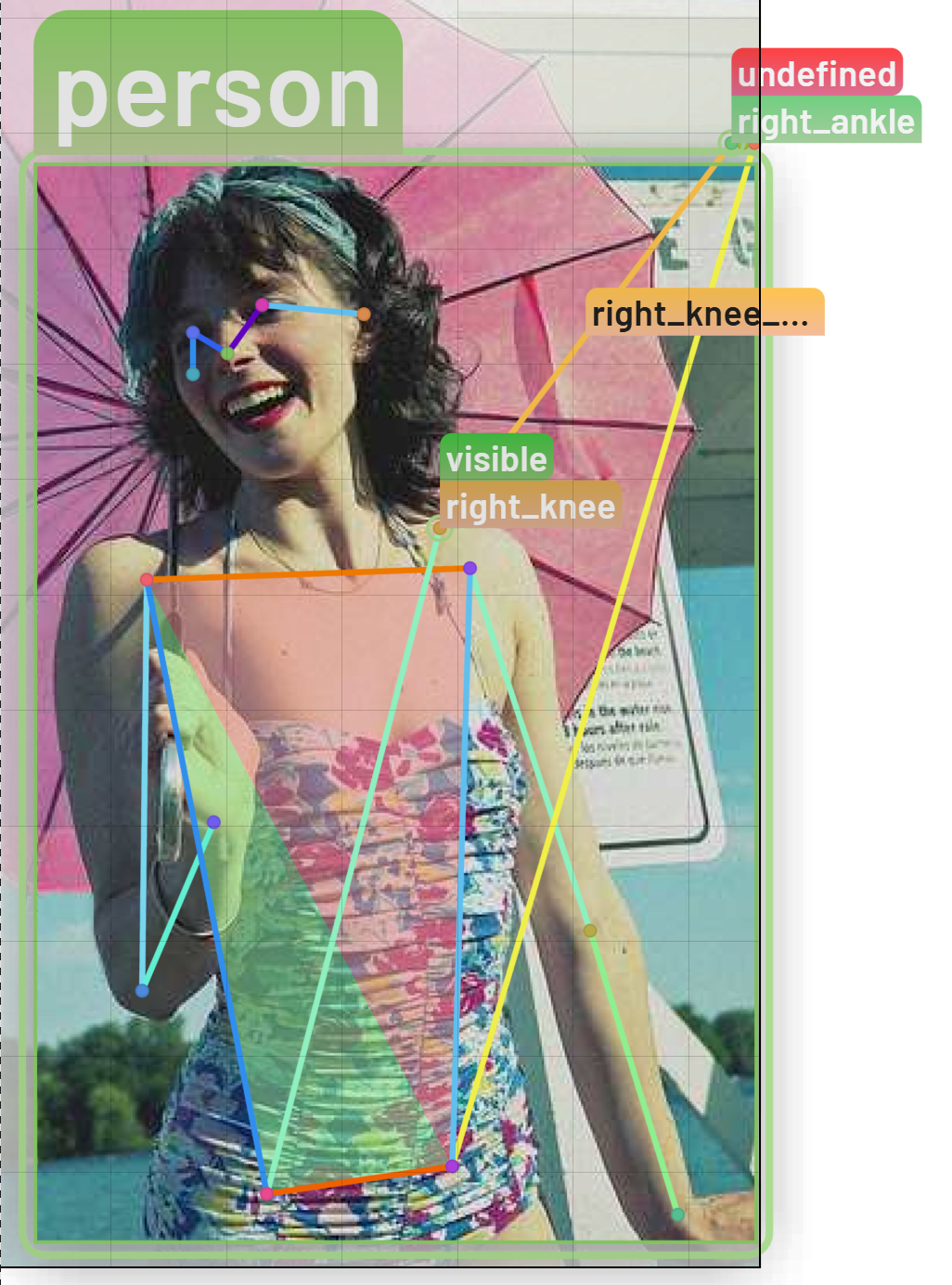
[15838] Improved rendering and user experience for invisible-but-editable points pose/keypoints:
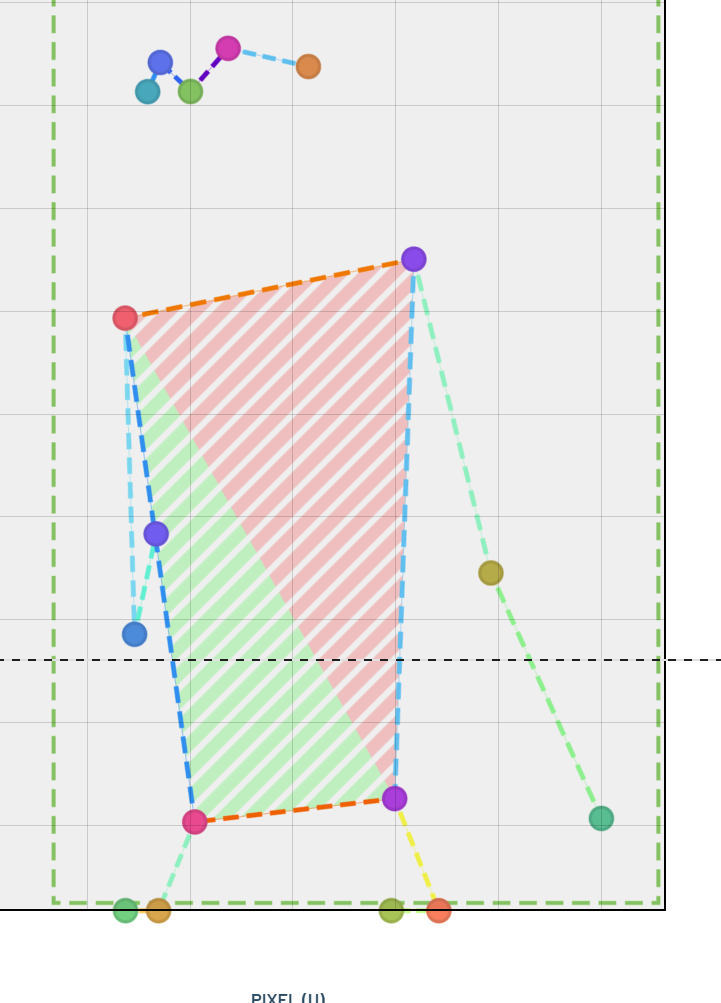
Such points are rendered above the top right corner of owner bounding box to make it easy to see which bounding box they are associated with and to allow the user to interact with each point independently. Formerly, such points would end up all being rendered at pixel (0, 0).
When starting to drag one of these points, move it to it’s apparent position AND set it to ‘visible’, so as to get as smooth behavior as possible
Enhancements and Fixes
[16749] Keys LeftArrow and RightArrow now navigate column selection in Table views (rather than before when they did the same as UpArrow and DownArrow)
Note that when either (1) array element selection is active (e.g. bounding boxes) OR (2) grid display mode is selected, the behavior is instead the same as before
[16703] Support MiddleClick on a column header to to hide a column
[16799] Points are now scene-sized in 2D when doing LIDAR/pose (just like it has always been in charts), but the points are not allowed to be smaller than that thickness of the 2D lines
[16607] Fixed a rare rendering issue where SSAO would go dark for very close objects
[16810] Made it so linked 1D cameras take schema overrides into account
[16811] Changed keyboard shortcut to toggle the shared cursor from Ctrl+Shift+W to Ctrl+Shift+K because the former is already used as a shortcut to close the browser in some cases
[16821] Fixed an issue preventing acceptance of OBBs
[16827] Fixed issues with value map editing with multiple edited value maps
2.7.7
Enhancements and Fixes
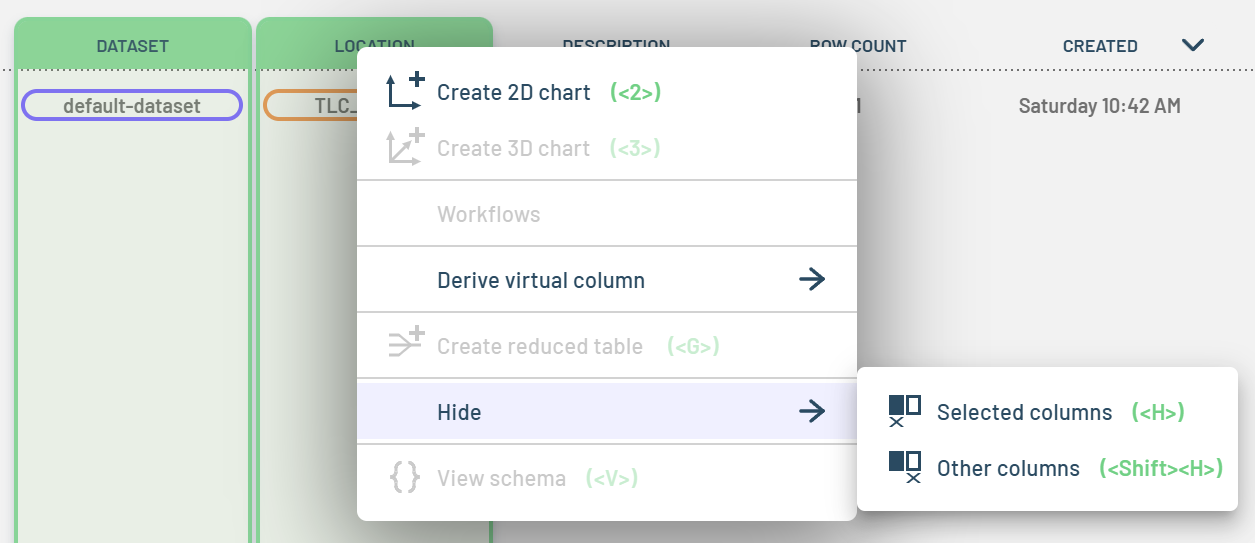
[16609] In Tables panel, made it so Shift+H hides all columns but those selected
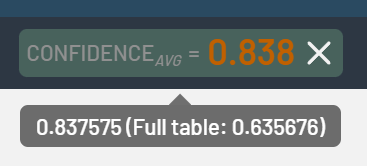
[16610] Pinned properties now show the filtered-in aggregate values, but with the full table values in the tooltip (when relevant)
[16686] Fixed issues with NaN propagation, including in element-wise add/subtract
[16548] When changing Run/Table selection, delete all empty chart tabs
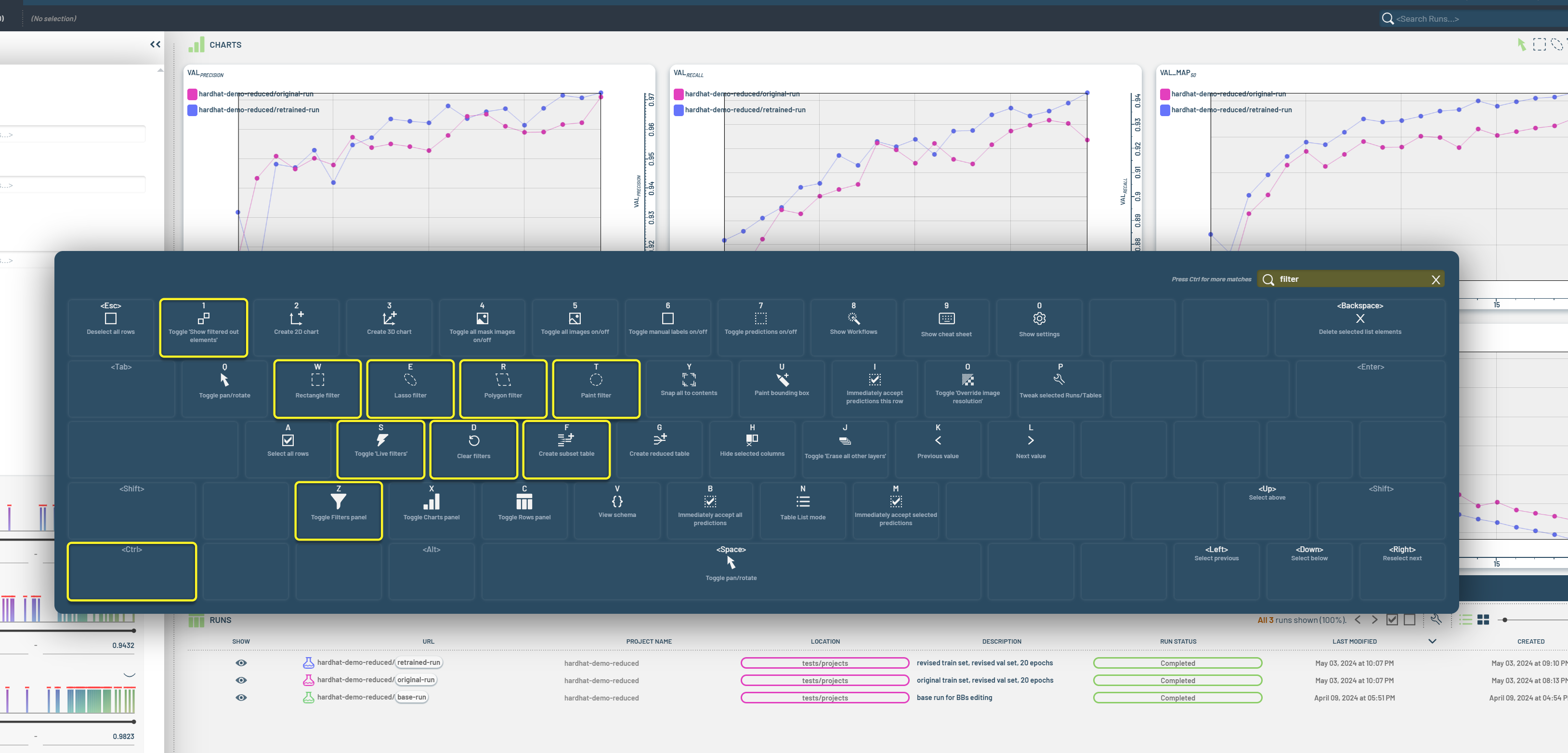
[16734] Added a search bar to make it easier to find functionality in the keyboard cheat sheet, including actions that are only visible with modifiers
[16744] Fixed some virtual columns appearing editable when they should be read-only
Show subtle green underline in table headers which have the same array signature as selected column(s). This makes it more intuitive and less error prone to use e.g. “matching attribute” for ground truth/predicted BBs.

[16767] Added logic to prevent operations on incompatible columns
2.7.6
Enhancements and Fixes
[16657] Fixed a regression where histograms were not shown at all
2.7.5
Features
[16425] Enabled calculation of velocity error across ground truth and predictions for matched pairs
OperationMatchedValue finds a matching predicted BB for each ground truth BB (or vice versa), then selects the corresponding value from a third column with per-BB values
OperationAngle calculates the angle for each input 2D vector
OperationDeltaAngle calculates the difference between two input angles based on full-, half-, and quad-circle symmetry
Fixed miscellaneous issues related to per-element Operations on 2D arrays (e.g. arrays of velocity vectors)
[16504, 16505] Made it possible to decouple chart titles and shared cursors using NumberRoleU/V
[16426] Made it possible to calculate F1/Recall/Precision across label categories and added corresponding workflows
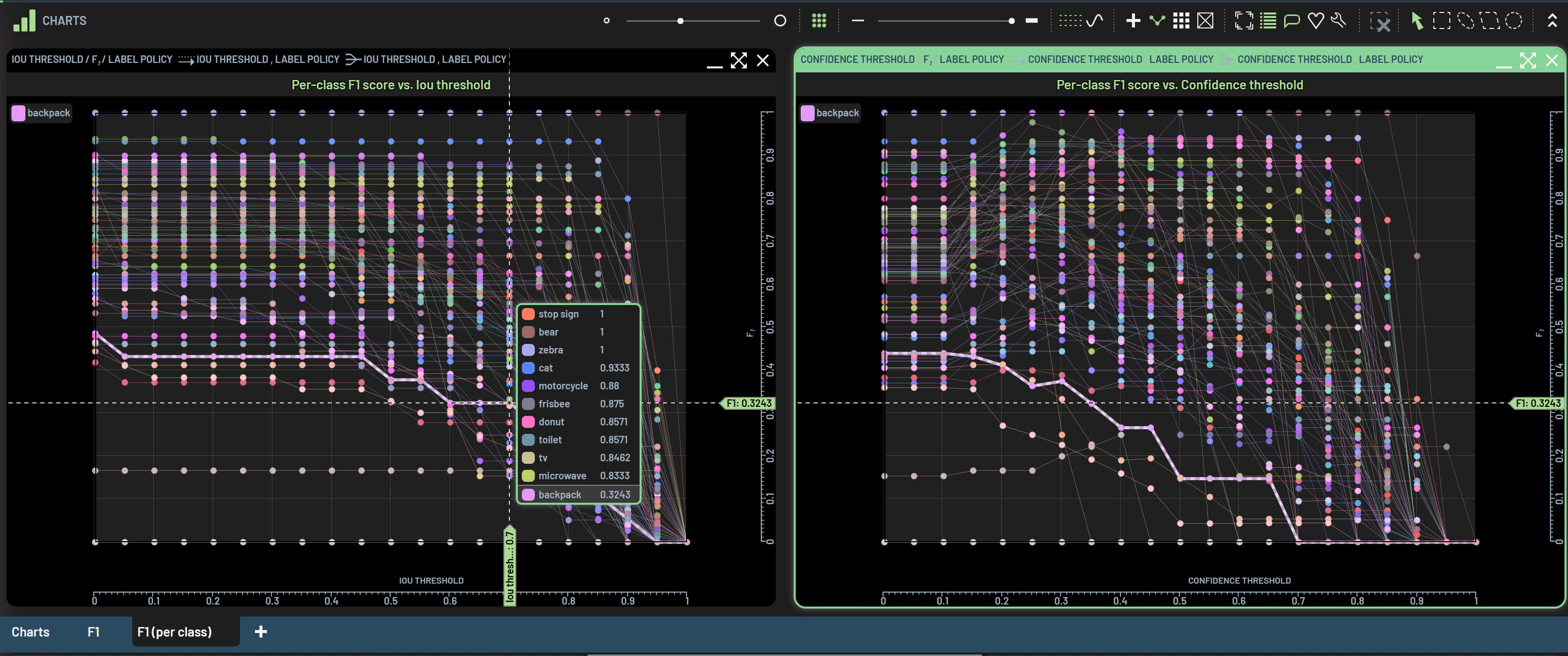
[14892] Enabled use of Weighted averages for F1/Recall/Precision
Allow for showing Weighted averages as pinned properties (when relevant). This results in the expected global F1/Precision/Recall scores
Added Chart Setting for determining whether to use Weighted average during reduce operations. Default = Yes (which gives the expected F1/Recall/Precision aggregates)
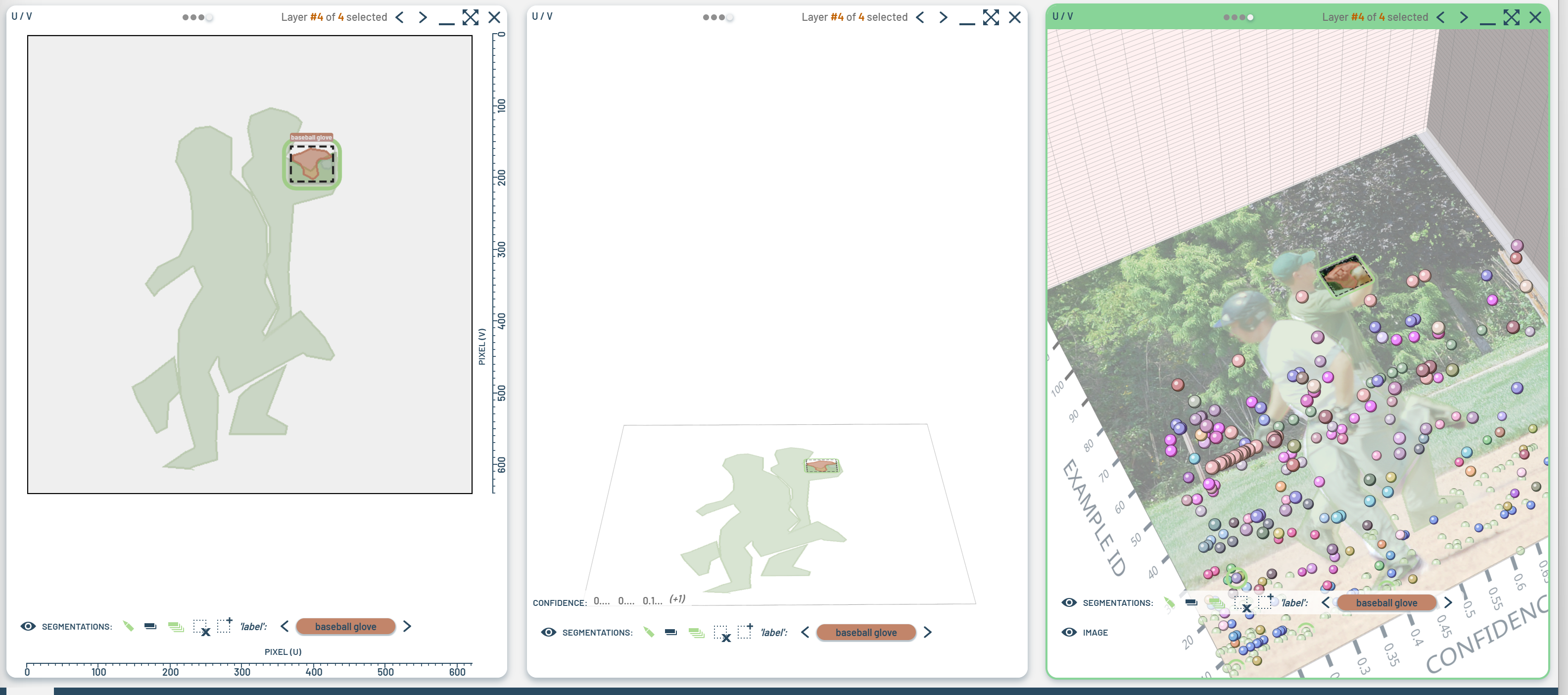
[16590] Added basic support for displaying 2D images (including segmentations) in 3D scenes
[16262] Added support for downloading a file containing pending Dashboard edits and restoring from such a file
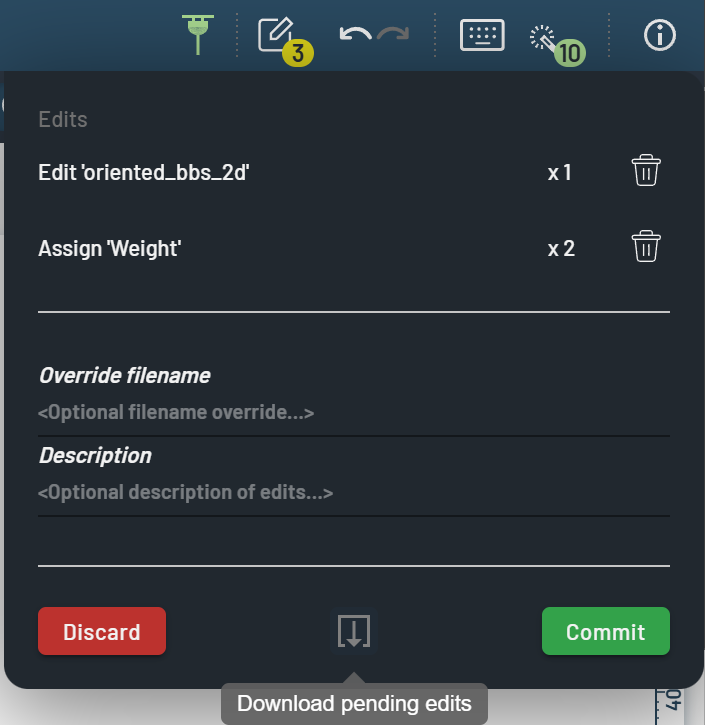
The commit dialog shows a small button for downloading pending edits. Clicking it will download a file
<ProjectName>.3lc_pending_editsto the default download folder.Dragging this file into the Dashboard at any later time will cause the original Run(s) and/or Table(s) to be re-selected. Then, when all directly and indirectly selected tables are fully loaded, the pending edits will be restored (though with the undo/redo stack collapsed).
If one or more tables cannot be loaded, the restore operation is cancelled with an error popup and a log message.
If any edits are pending when the drop operation is about to be performed, the user will be asked whether to discard the uncommitted operations or to cancel the drop operation.
After the restore operation is completed, one is able to continue working (as usual) OR commit (as usual) OR undo the ‘restore pending edits’ operation (i.e. all pending operations).
These snapshots are intended primarily to help in exceptional circumstances when uncommitted edits have been made and the Dashboard gets disconnected from the Object Service (e.g. because of a network issue).
Enhancements and Fixes
[16433] Optimize performance by not scaling down images to thumbnails unless larger than 3K along longest dimension
[16437] Fixed an issue where OperationPickOuterN could access an undefined value
[16402] Fixed a regression where the same color would be auto-assigned when value map editing
[16463] Added vertical scrollbar to tweak chart dialog when needed
[15243] Fixed a bug with aggregate charts where the wrong curve was highlighted on hover
[16467] Fixed issues with Ctrl+A not always selecting all array elements in table view
[16273] Disallowed selecting Tables whose row counts differ from the corresponding input Table when Run executed. Note how the last checkbox isn’t clickable since the row count (3) differs from the original (4):

Fixed bug where “Delete table row” wouldn’t immediately take effect
Esc now sets interaction mode “Pan/Rotate”
[16486] Fixed bug where thumbnails of segmentation images were only colorized after clicking the table row
[16508] Disallowed creating new Editable columns which will result in a name collision during foreign key property extraction in Runs
Made it so the hovered-over element is always shown in live tooltips, even if it does not make it into the top-10 list
Fixed bug where hover line wouldn’t disappear in reduced charts when not hovering over any points
[14744] When iterating across enum values in charts, exclude elements which are currently filtered out
[13959] Respect show-filtered-out-points and -lines when doing on-the-fly reduce in charts
Fixed bug related to hover-over-filtered-points
[16569] Made it so location elements in the Filters panel show full URL in tooltip
Enabled scrolling in top-level context menus (when needed)
Allowed for larger zoom-to-box value
Allowed chaining of OperationOnArrayElement
[16611] Fixed a bug where lasso select of embeddings chart caused array element selection
Made it so the filter and selection are cleared after deleting selected (filtered-in) table rows
[16451] Made it so numerical operations for no values return no values
[16573] Added OperationRgbFromEnumValue
[16564] Added OperationElementWiseCategory
[16237] Made it so Charts tweak / wrench icon shows tooltip with number of rendered points and lines
[16565] Made it possible to select a range of columns in the Table panel using Shift+LeftClick
2.7.4
Enhancements and Fixes
[16398] Fixed a problem where the images shown in the Rows panel could get out of sync with the selection
[16403] Fixed issues with accepting predicted segmentations
[16404] Fixed a regression where deleting a segmentation instance would result in incorrect rendering
[16404] Fixed a regression where the same color would be auto-assigned when value map editing
[16407] Avoid making context menus slightly larger than required
2.7.3
Enhancements and Fixes
Made optimizations for working with datasets containing many / large images
[15728] Dramatically reduced the maximum retained memory footprint of the application when working with large images
[16211] Avoid invalidating images when possible to make for a smoother experience when editing BBs on top of large images
[16212] Reuse image thumbnails when possible
[16152] Fixed an issue where some Run curves were not highlighted when hovered over
[16164] Made the default for “Show filtered out instances” false
[16108] Added 3D BB volume and aspect operations
[16138] Added support for deleting 3D BBs
[16138] Added support to drag and resize 3D BBs
[16236] Show display name of enum values for category and to-string operations
[16242] Prevent accidental navigation away from the dashboard if any pending edits using the default browser dialog
[16282] Added user setting for max POST request size
[16293] Optimized deletion of pose data so deleting many instances does not take so long
[16294] Made a fix to support per-instance string attributes
[16275] Fixed several issues that made working with the Dashboard in Firefox particularly problematic. Firefox is still not officially supported, but it works much better than it used to.
[16316] Made a fix to prevent incorrect async modifier key state
[16269] Tweaked default settings
Show orbit point now defaults to off
Show projections now defaults to off
Set weights = 1 now defaults to on
[16310] Fixed an issue that could lead to rare errors related to parsing an unsupported color function “oklch”
[16340] Fixed logic that resulted in header not being added to requests to Object Service running on some NGrok free domains that skips the NGrok warning page redirect
[16307] Prevent access to an undefined value
[16022] Prevent problems when trying to rotate orbit camera in a crowded scene (e.g. LIDAR)
2.7.2
Enhancements and Fixes
[15651] Break up commit requests into multiple parts to avoid potential issues with request size
2.7.1
Features
[15684] Added support for showing vector attributes as paths and arrows by selecting the relevant columns as “annotations”
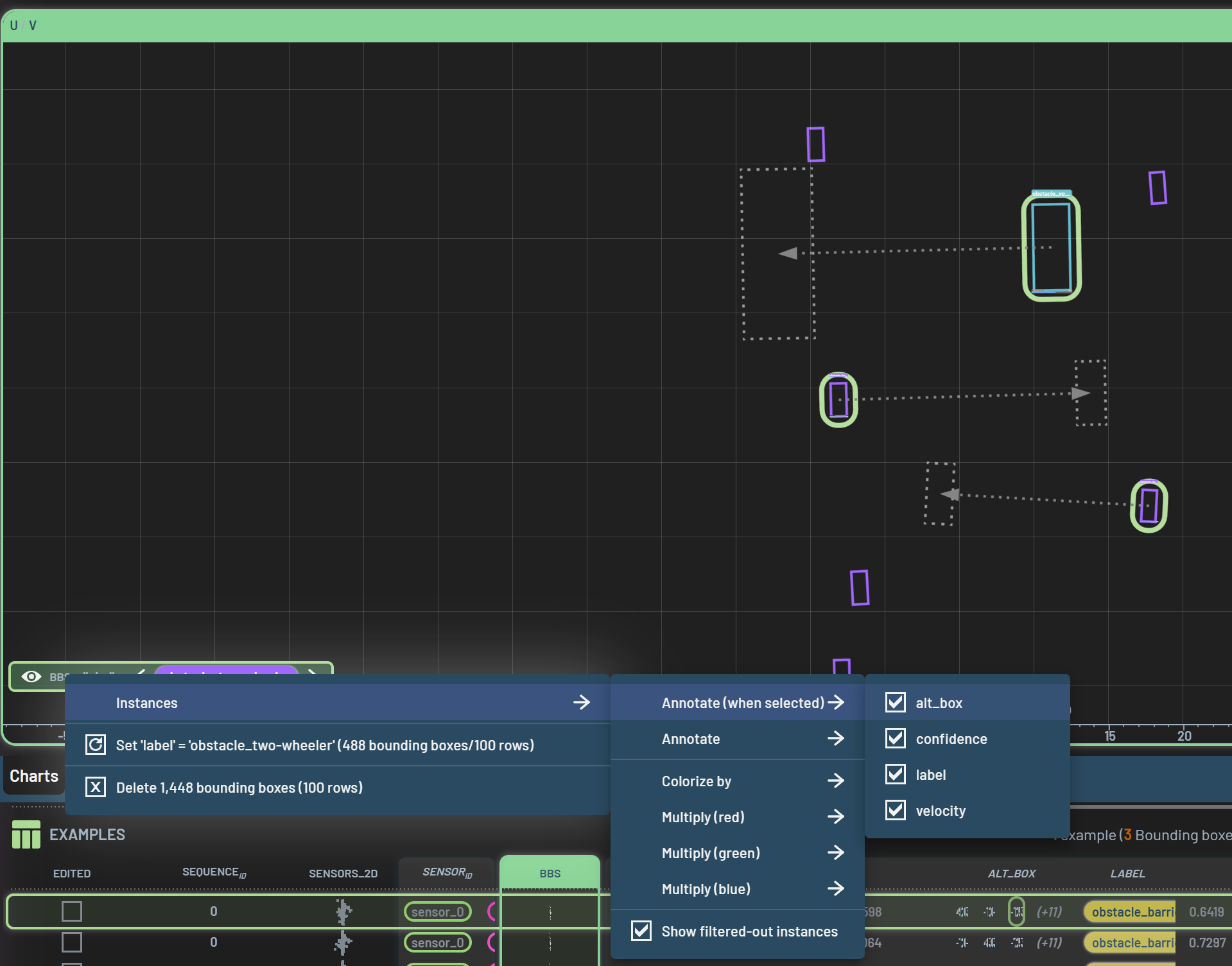
[16095] Added operation “Category” that allows for converting general columns into integer columns with value maps
This allows for filtering on these as if they were value maps in the first place
A maximum of 1000 categories are created; elements will be placed in “(Other category)” if this overflows (typically if applied to a column with all-different floating point numbers or strings).
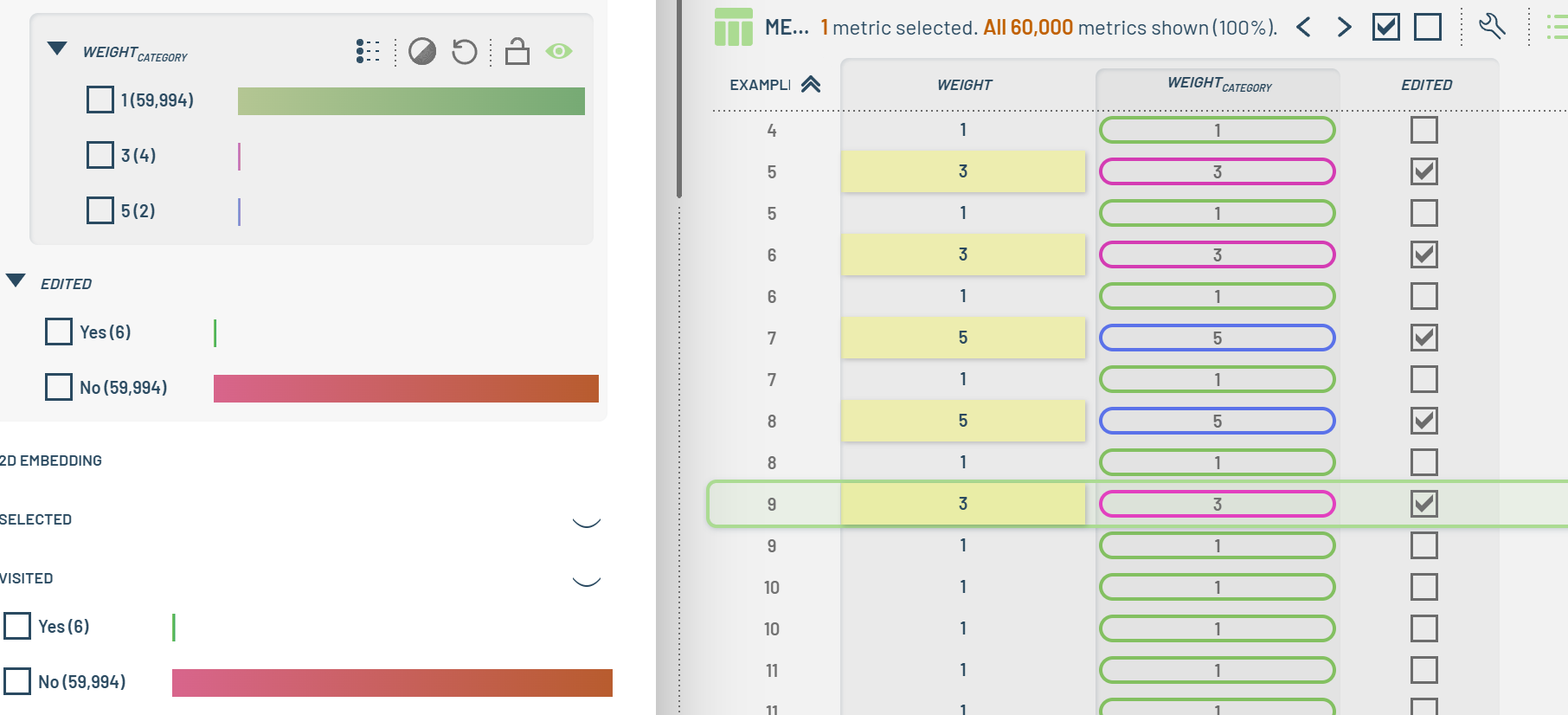
[5611] Allow for dragging a chart window (from the title) onto either a charts tab, or the create-new-charts tab (“+”). In either case, the chart will be moved onto the tab (behind any existing charts in the tab, if any).
Enhancements and Fixes
[15973] Reduced flickering of dashed triangles during zoom
[10850] When only a single metrics Table is selected for loading into memory, do not allow for unloading it.
[16007] Optimized string handling
[16009] Made it so copy-to-CSV no longer incorrectly adds a comma at end of each line
[16027] Properly handle NaN for OperationSum/OperationSubtract/OperationAverage
[16008] Optimized partial selection component when in range mode and made it so that mouse picking snaps to closest filtered-in element when relevant
[16031] Improved 2D ruler text by tilting enum strings to prevent overlap and setting/using hover state
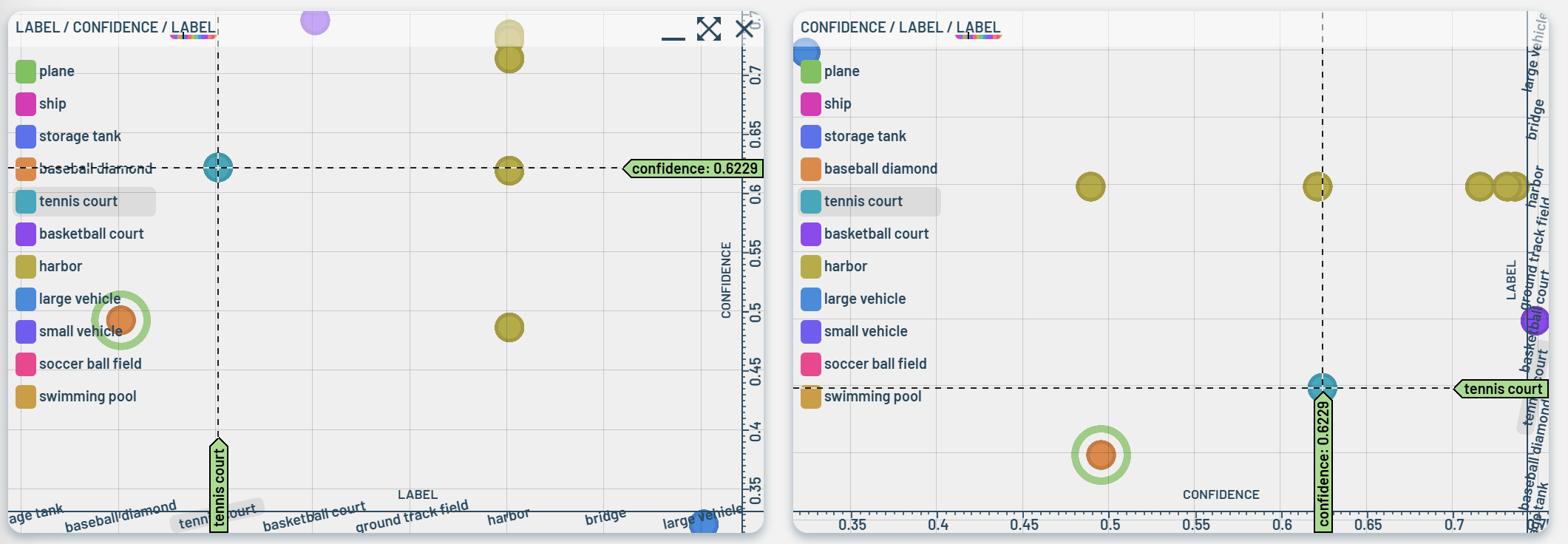
[16042] Fixed an issue where snap to next/prev BB was incorrect when min X/Y in coordinate system is non-zero
[16045] Added operation URL-from-value-map
[16054] Avoid rare crash during mouse handling
[16067] Fixed an issue where removing all pose instances could cause an error during later YOLO pose training
[16065, 16024] Implemented several GUI optimizations and performance tweaks
[16066] Make sure warning about unsupported WebGL is shown in all cases
[16086] Optimized bookkeeping involving in showing Projects, Runs, Tables, and Log to avoid freezes when receiving updates from the Object Service
[16119] Fixed calculation making 3D boxes twice the size they should be
2.7.0
Features
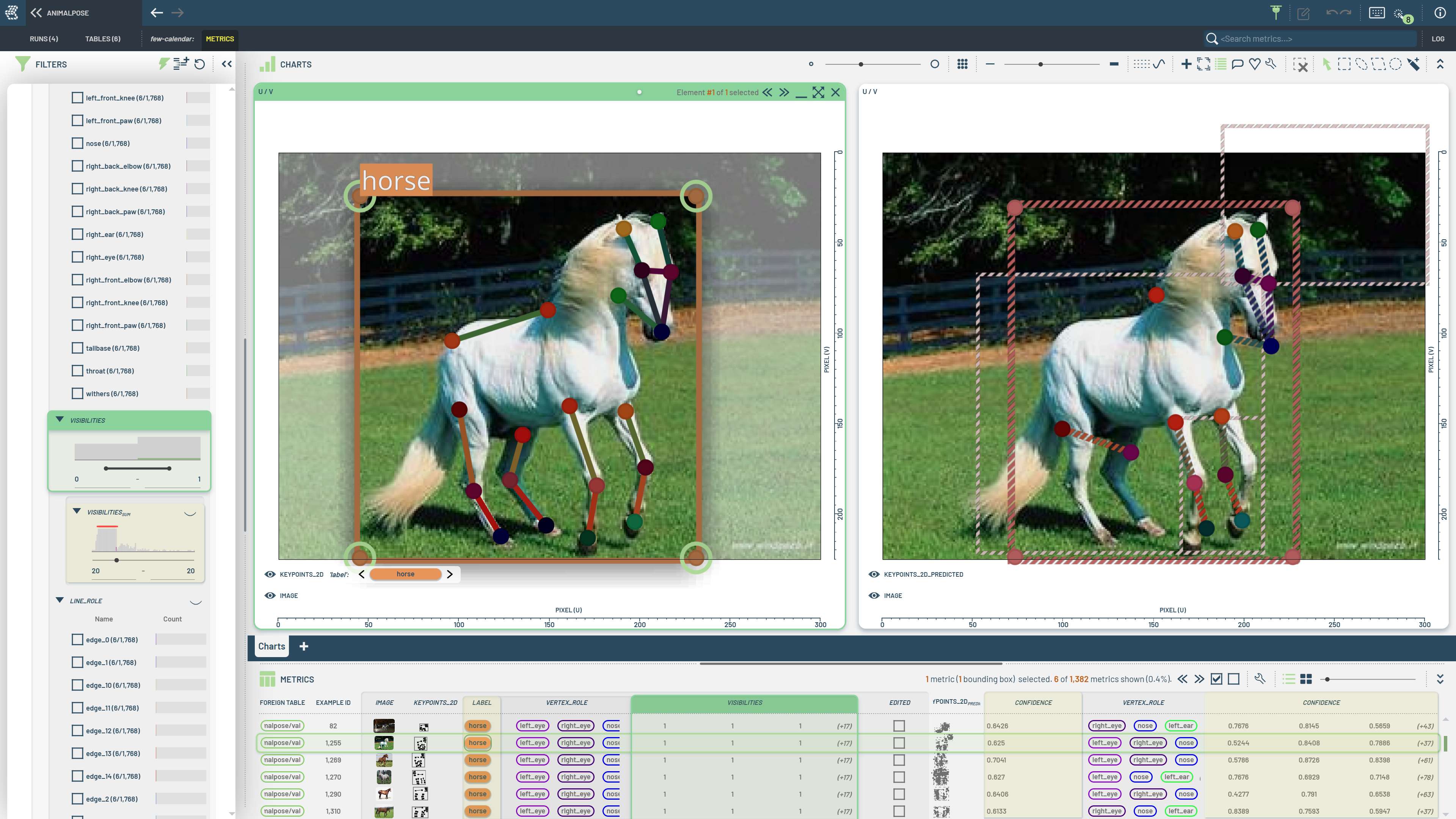
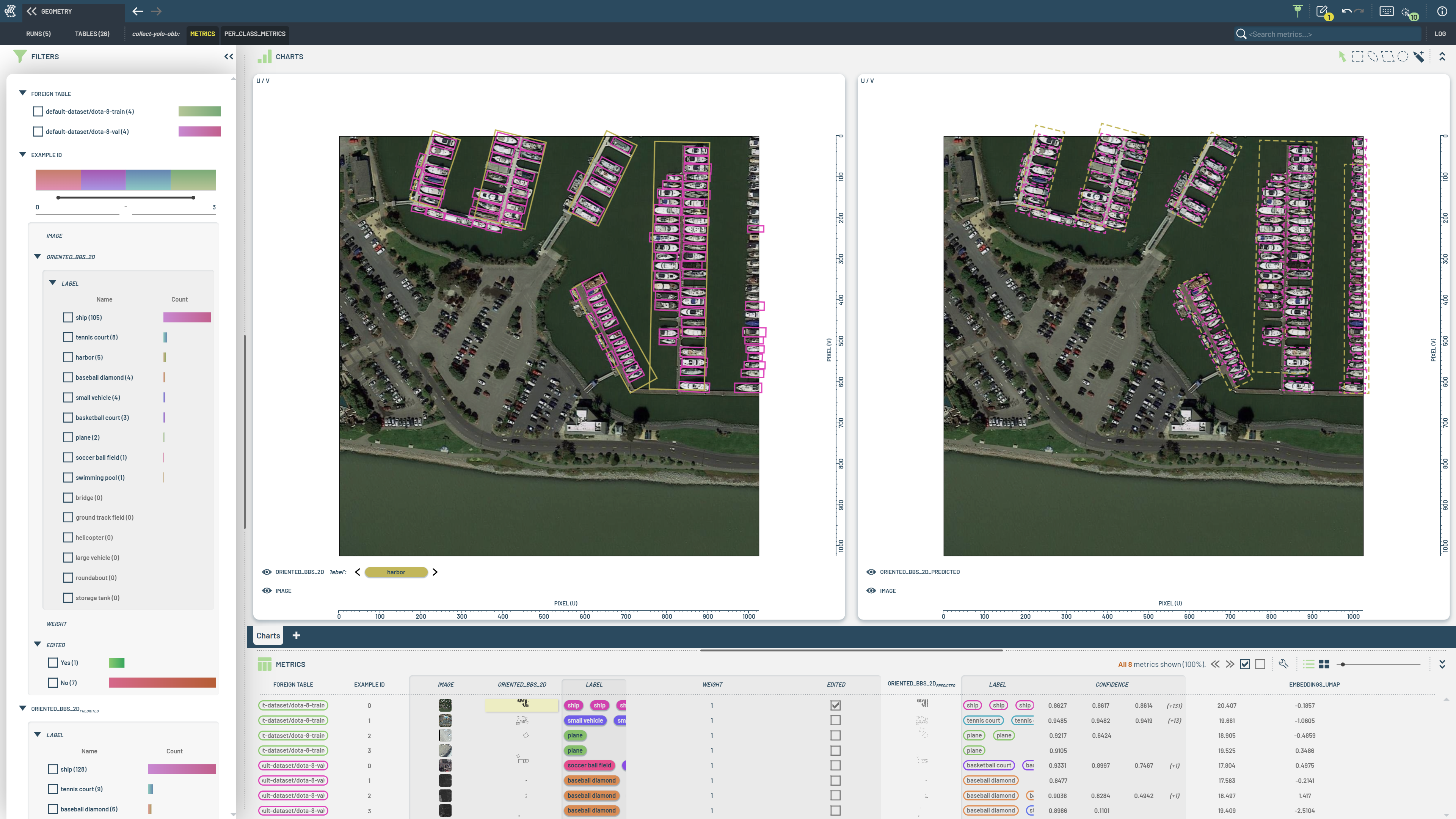
[15280] Added support for pose/keypoints, oriented bounding-boxes, as well as other 2D/3D geometry (points, lines, triangles). Editing of bounding boxes work as before, but with some additions and very small changes (as noted below).
Original functionality
The paint-new-BB interaction mode can be used to paint new BBs
In any other interaction mode, Ctrl+RightDrag will also paint a new BB
Shift+LeftClick will immediately accept a predicted BB (or image layer), as now also indicated by a small green check mark on the mouse cursor
Ctrl+Shift+LeftClick will immediately delete a ground truth BB (or image layer), as now also indicated by a small red X on the mouse cursor (Previously: Shift+LeftClick)
New functionality
BBs/vertices/lines/triangles can be (multi)selected using the ordinary select-in-region modes (e.g. lasso)
Multi-selected BBs/vertices/lines/triangles can be dragged in 2D
For oriented BBs, dragging the edges will allow for resizing and/or orienting the BB around it’s center point
A small visual overlay is then shown to indicate the rotation point in this case
When multiple BBs are selected, only Move is enabled (it doesn’t make sense to Resize/Rotate a group of BBs)
Ctrl+LeftDrag will limit the edge interaction to Resize
Shift+LeftDrag will limit the edge interaction to Rotate
When one or more vertices are selected, the attributes for the vertex is shown alongside the attributes for BBs. They can also be edited in the exact same manner, i.e. changing the value of the widget will set the value onto all selected elements (in this case: vertices).
Vertices/lines/triangles/BBs can be colorized independently
When operating on points/lines/triangles, the terms “pose”/”poses” are used instead of “bounding box(es)”
Likewise, when comparing pose data the term “OKS” or “Object-keypoint-similarity” is used instead of “IoU”
Some Operation names on BB/pose pairs are modified slightly. For instance, “Matching ground truth IoU” has been changed to “IoU_matching_ground_truth” (so as to be in line with subscript notation used elsewhere)
[15683, 15685] Operations available per-oriented-BB: angle/width/height/area/aspect/center_x/center_y/distance_to_origin
These allow for filtering e.g. by range from center, rotation angle, etc.
See also Visualization
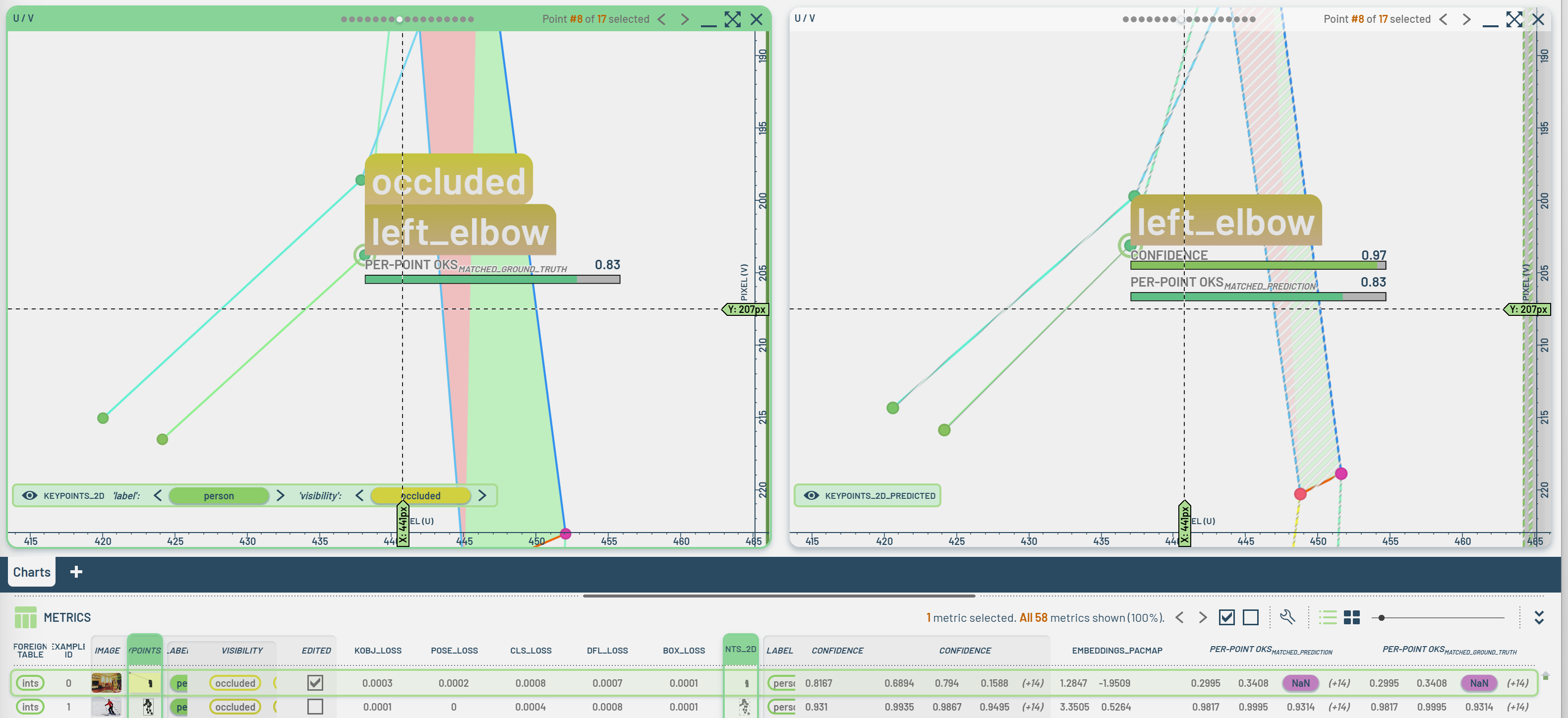
[15890] Added operation for per-vertex-OKS, which can then be used to e.g. colorize points
[15773] Added operation for delta-time-between-timestamps, number role for duration with special display formatting (e.g. “30m:10s”)
Added new “GUI” settings
“Snap to double-clicked bounding box or image layer” allows for tweaking how fast the camera is repositioned to show the target BB. Options are Smooth (the default), Immediate or Off (i.e. nothing should happen)
“Snap to next/previous bounding box or image layer” configures the corresponding behavior when using left/right buttons to navigate between BBs
[14001] Added new “Bounding box editing” settings
“Outline style” allows for selecting BB outlines to be Default (green), Black, White or None (i.e. hidden)
“Mask opacity” controls how much to mask out non-selected BBs
[15774] Made it possible to chart user defined Runs metrics
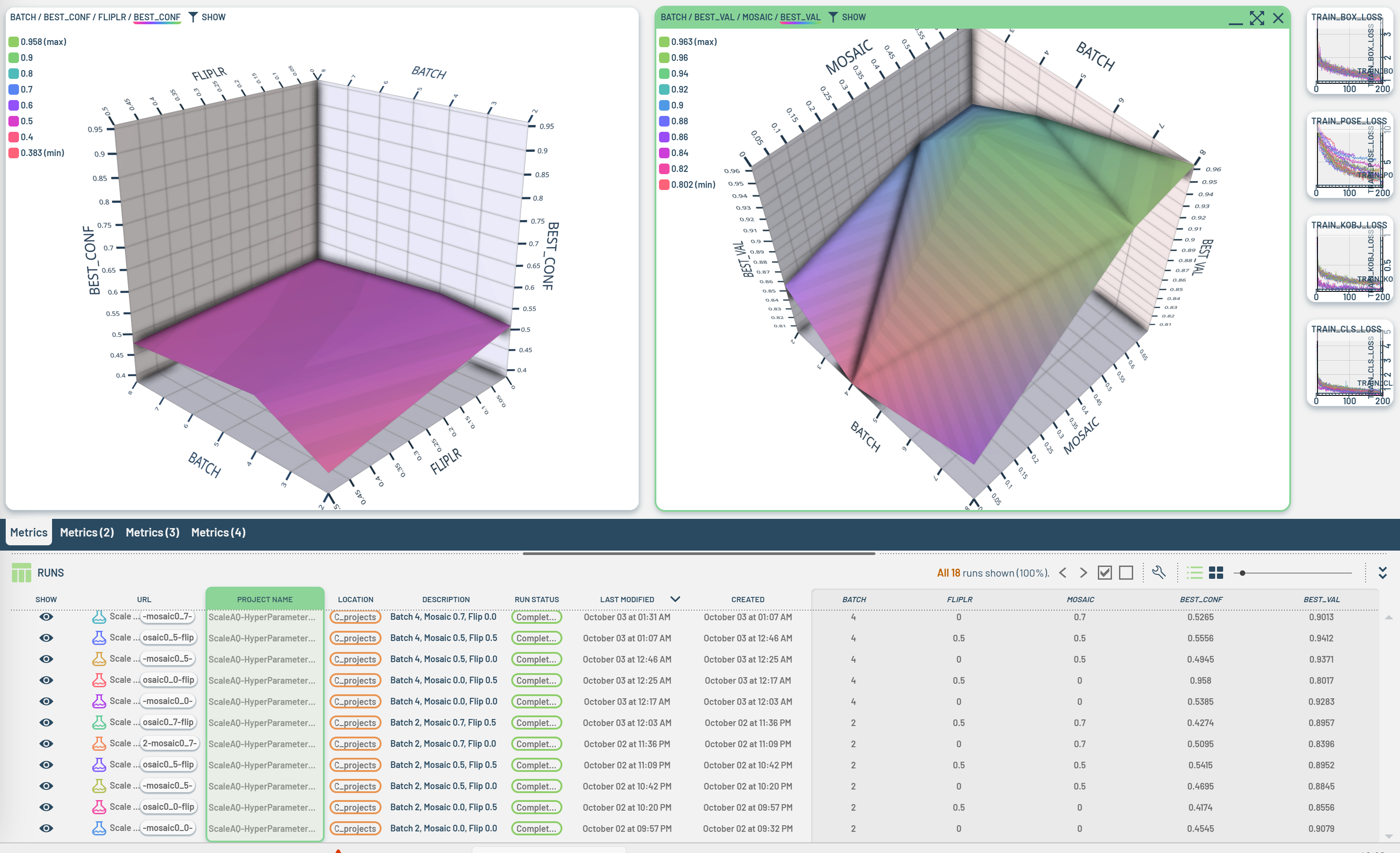
[15492] Added support for exporting user-defined workflows and importing them via drag/drop
Enhancements and Fixes
[15522, 15523, 15579, 15950, 15978] Avoid silent failures during application init and added more robust handling of potential null- or undefined- readouts in a number of places
[15979] Avoid excessively long name for revisions
[15981] Fixed an issue where BBs around image layers did not refer to correct filter state
[15899] Made several improvements to the array element selection widget
[15190] Fixed a number of problems with sliders in segmentation widget
Fixed bug when assigning multiple values to the same BB (e.g. when changing paint state)
Fixed bug with annotations when values were not 0..1 (sliders would show 100% even if value was lower)
Note that paint state values are now shown as numeric fields rather than sliders, and that read-only attributes are not shown at all:
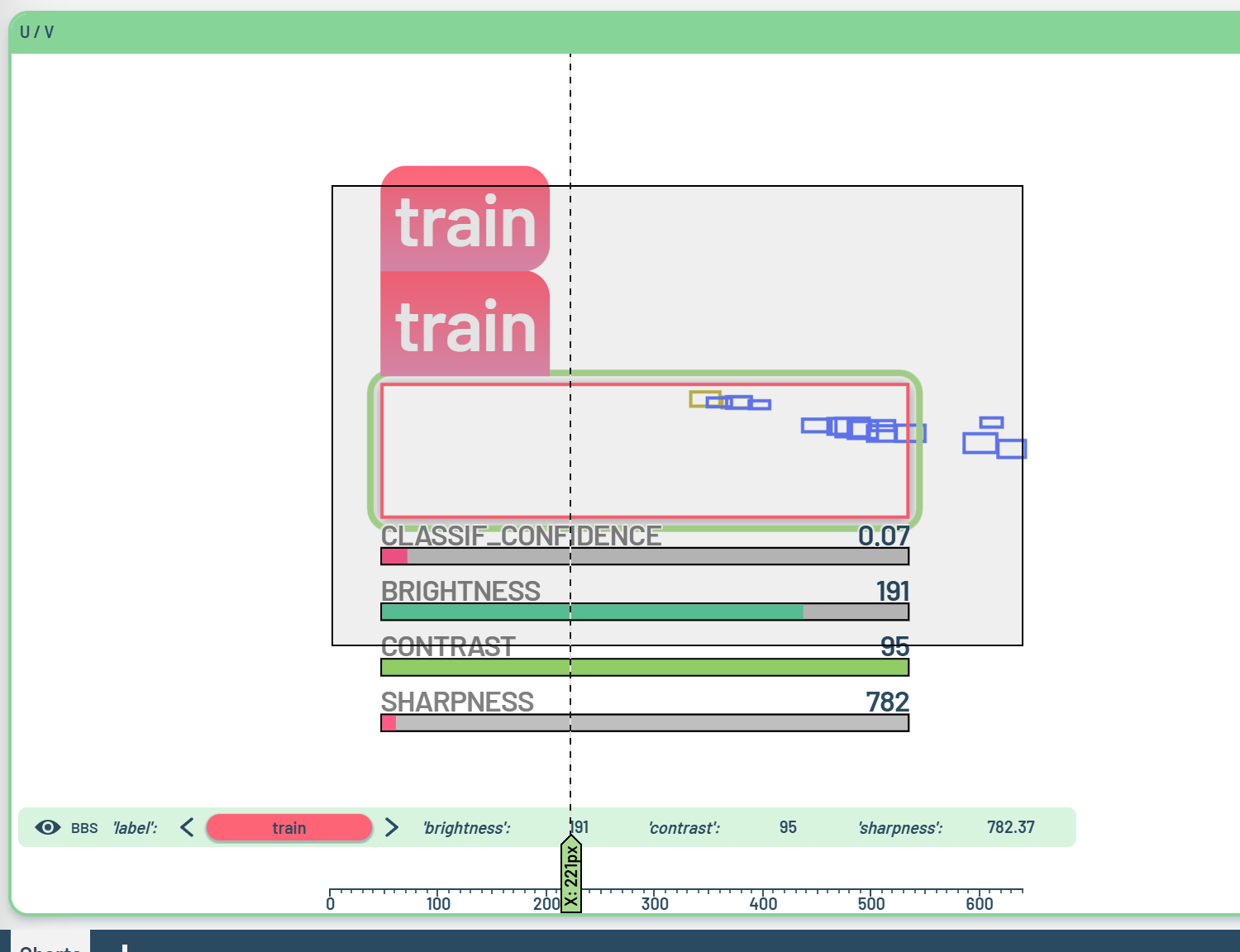
[8987] Made improvements to bounding box editing
Ctrl+DoubleLeftClick: snap contents to ALL selected BBs, not just the one being clicked
Likewise snap to all BBs selected in the partial-selection-info widget
[14977] Fixed bug where deleting a Run would cause temporary glitches in the display of the remaining Runs
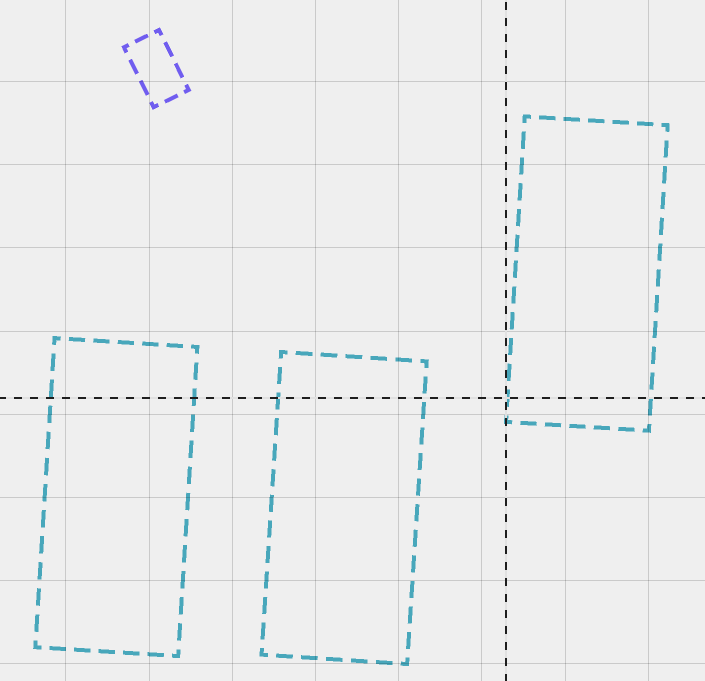
[16004] Tweaked appearance of dashed lines (typically predicted bounding boxes, also line drawing within pose shapes)
The dashes are now in the coordinate system of the box (possibly rotated)
Each edge now contains an integer number of steps (meaning the corner points are always drawn)
[14104] Added a thin line at the bottom of the tab(s) providing data for the selected chart(s)
[15983] For properties with number role “fraction/*”, always use effective value range [0..1]